Heterogeneous (Layered) Fibrous Media
For a heterogeneous material (layered), add as many fiber types as layers are in the media, corresponding to the blocks estimated by computations with FiberFind (for example, on a 3D material structure model obtained from importing a (µ)CT image).
To enter the fiber type and the fiber diameter for each of them, use the data from the fiber diameter estimation result file (*.gdr) obtained with FiberFind and enter the estimated Average inner diameter directly.
Alternatively, click the Diameter Edit… button for each fiber type, choose Gaussian (or Log-Normal), and enter the value of the estimated Average inner diameter and the value of Standard deviation for all fiber types (as shown in the Homogeneous Fibrous Media section).
Notice that the fiber diameters of the different layers look fairly similar in the example shown. Because of this, only one fiber type (short circular) and the same values for the Gaussian distribution are selected. If the diameters should be different in each layer, it is possible to choose three different fiber types and a different diameter distribution for each layer under the Fiber Options tab in FiberGeo.
In the example shown, most fibers do not end inside the domain. For short circular fibers, enter therefore a Length that is larger than the largest side of the domain. For example, if the domain is 200 µm x 200 µm x 200 µm, enter a length of 250 µm.
The fiber type Infinite Circular cannot be used here, since we want to model a structure with three different layers and therefore also need to define the center of the fibers for each layer, see below.
From the fiber orientations file (*.gdr), enter the values from the orientation tensors calculated for each block (layer) by clicking the Orientation’s Edit… buttons in the right panels.
Next, for each layer, click the Center’s Edit… button and place the three types of fibers in layers by setting their centers uniformly in a box.
The box for each layer should be constructed laterally bigger than the domain (200x200x200 µm3). When the box is constrained to the domain, only fibers whose centers are inside of the domain are created. For a larger box, also fibers with a smaller part inside the domain are possible (see also the illustration below).
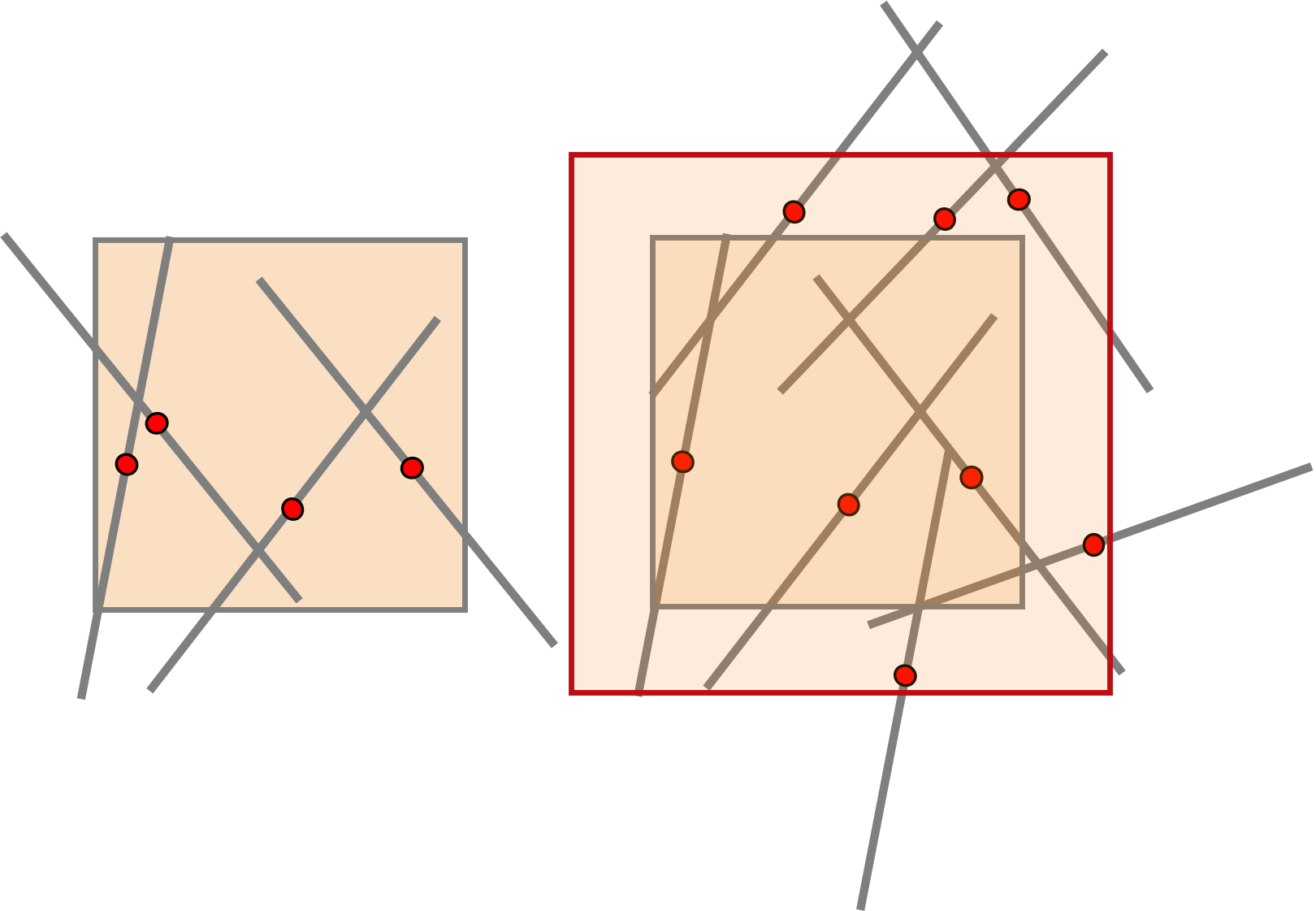
Finally, it is necessary to consider the contribution of every layer (fiber type) to the domain’s solid volume fraction (object solid volume percentage).
Under the Fiber Options tab, the percentages had been selected to be viewed as Volume%. Enter the estimated solid volume fractions of the three blocks (18.747%, 8.294%, 17.7374%).
After clicking OK in the dialog, FiberGeo adjusts the percentages automatically to sum up to 100%. For example, for Block 0,0,0 with SVP of 18.747%, the contribution is 41.8662% after percentages are automatically updated.
Enter the Solid Volume Percentage of fibers in the structure as the Object Solid Volume Fraction in the Stopping Criterion panel, under the Create Options tab. You can find the Statistics information in the Status and Modules section on the left side of the GeoDict GUI.
Remember to set the correct domain size (NX, NY, NZ) and Voxel Length in the Domain panel.
Click OK to close the FiberGeo Create Options dialog and click Generate in the FiberGeo section.
The reproduced fibrous material model is shown in the Visualization area, matching the values estimated by FiberFind for the 3D material model obtained from importing (µ)CT images.
