Filter GeoApps
When Filter GeoApps is selected, all GeoDict python macros stored in the GeoDict installation folder are shown. The default location in Windows is C:\Program Files\Math2Market GmbH\GeoDict 2025\GeoApps\Modules\FilterDict.
The macros Cross-Flow Filtration.py, Electrostatic Fibers.py and Media2Element.py are included in the standard installation package, but additional macros could be placed there by the system administrator and would then be available for all users.
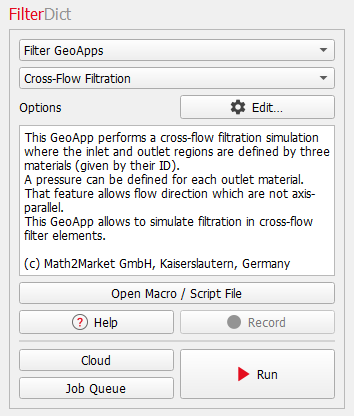
They can be edited with a standard text editor. To open the corresponding *.py file for a predefined macro, click the Open Macro / Script File button. After making changes to the script, you can either store the modified macro locally and run it from the main menu Macro->Execute Macro Script or as an administrator you may store it in its original place and make the modified version available to all users.
To use a predefined macro, select it from the pull-down menu, click the Edit … button to set the parameters, and then the Run button to run the simulation.
