Identify Fractures
The Identify Fractures app analyzes the pore morphology and segments the chosen material ID into fractures, small and large pores. The macro applies multiple runs of Identify Pores and the corresponding Identify Pores Post Processing to distinguish between pores and fractures.
|
Modules needed to run this GeoApp: PoroDict |

Click Edit to open the Identify Fractures Parameters dialog.
There are two main features of the Identify Fractures app.
The first main feature Separate fractures from pores by the following features segments the selected Pore/Fracture Material ID into fracture and pore phase.
The second main feature Segment pore sizes allows the differentiation between small and large pores. When both features are activated, the differentiation of the pore sizes will be performed only on the pore phase, not on the fracture phase.
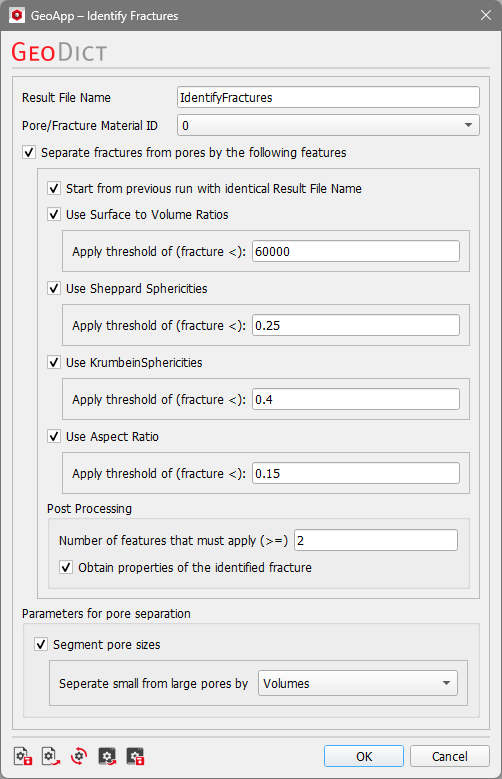
For the fracture identification, the chosen threshold values consider void space in a structure as a fracture if the values are below a chosen threshold for each parameter. The parameters can be modified if needed. The default threshold values may already segment fractures correctly. To improve the result, adjust the threshold values according to the current structure. In the Post Processing section, the Number of features that must apply to identify a fracture phase can be chosen. The number must always be smaller or equal to the number of activated features. When Obtain properties of the identified fracture is activated, an additional instance of Identify Pores is executed on the previously identified fractures.
If Identify Fractures was executed on a structure but the segmentation needs to be improved, the app should be re-executed to obtain the best result iteratively. That can be done by re-executing the app with different values until a sufficient result is achieved. To save time, activate Start from previous run with identical Result File Name. This skips the first Identify Pores instance and uses the previously created *.gdr to execute Post Processing.
Click OK to close the dialog, go back to the GeoApp section, and click Run.
Results
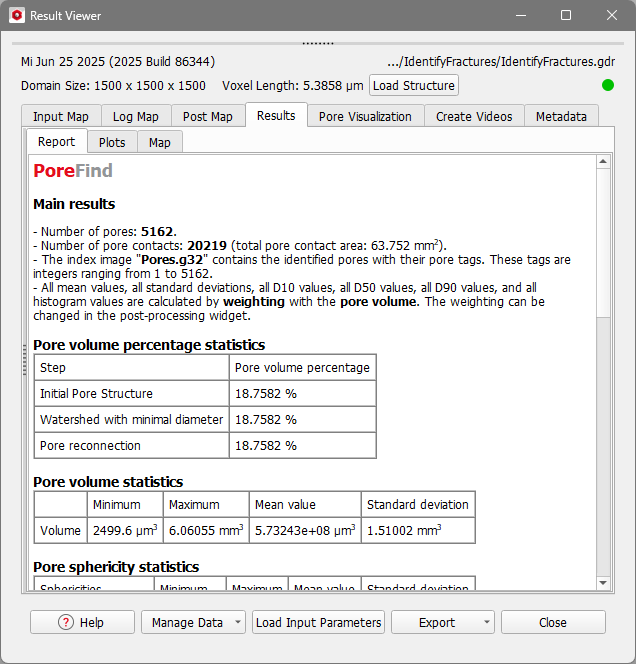
When the run is finished, and the checkbox of Obtain properties of the identified fracture is checked, the Result Viewer of the result file (*.gdr) opens automatically. Find the results in the Results - Report, Results - Plots, and Pore Visualization tabs. The result file is created using PoroDict - Identify Pores.
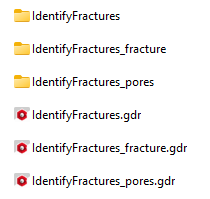
Three result files and result folders are generated and can be found in the project folder.
The prefix is based on the chosen Result File Name (default is IdentifyFractures). The IdentifyFractures folder contains the results of the Identify Pores instance which was executed on the structure. The thresholding of the fractures by features, which can be performed with the script, is executed on the contained IdentifyFractures.gdr. When Obtain properties of the identified fracture is activated, the IdentifyFractures_fracture folder contains results of the respective Identify Pores run. When Segment pore sizes is activated, the pores in the structure are segmented by their Volume or Equivalent diameters (IdentifyFractures_pores).
In this case, the folder IdentifyFractures_pores is created which contains the Identify Pores run performed on the pores.