Estimate Grain Diameters Options
The Estimate Grain Diameters dialog opens when clicking the Edit… button and includes the Diameter Estimation Options tab and the Equations & References tab, which cites several references.
At the top of the dialog, enter the Result File Name. The result file is saved in the chosen project folder (File → Choose Project Folder in the menu bar).

Material to Analyze
Under Material to Analyze, define the part of the structure to be considered in the analysis. Either the complete structure can be analyzed (All Solid Materials), an individual material can be selected (Chosen Material) or a choice of Material IDs can be made (Chosen Material IDs). If the selection includes multiple Material IDs they are combined and analyzed as one single material.
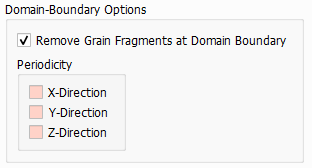
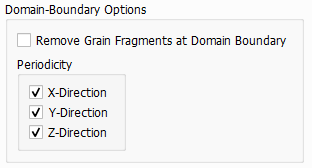
Domain-Boundary Options
 Remove Grain Fragments at Domain Boundary

Minimal Grain Diameter
All grain fragments with an assigned diameter value lower than the Minimal Grain Diameter are neglected. If they are connected to other grain fragments with a larger diameter value, the fragments are merged and get assigned the larger diameter value. If they are not connected to any other fragments, they are removed from the structure. The Minimal Grain Diameter can be entered in units of meters or voxels.
In the figure below, the behavior of the algorithm can be observed: On the left, the Minimal Grain Diameter is set to 0 µm, so all grain fragments are kept independent of their assigned diameter. On the right, the Minimal Grain Diameter is set to 20 µm and all fragments with an assigned diameter lower than 20 µm, which are not merged to larger grain fragments, are neglected.
Bin Size
The Bin Size is the step size between following sphere diameters, which are fitted in the structure. It must be entered in voxels, but the step size is also shown in metrical units.

The choice of the Bin Size is important in post processing. If it was not chosen as desired, the value for the Bin Size can be changed later in the Post-Processing Panel in the Result Viewer.
