Distribute
When Distribute is selected from the pull-down menu in the GrainGeo section, the objects are uniformly spread throughout the structure. Only structures that contain analytic information (GAD objects) can be used for the distribution of objects.
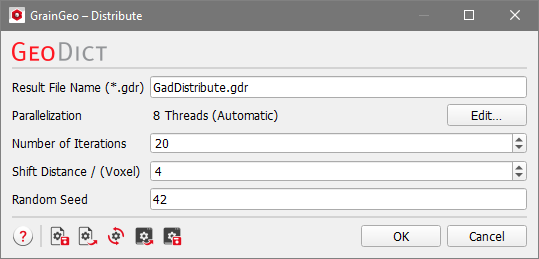
Clicking the Options’ Edit… button opens the Distribute Options dialog.
When the desired parameters have been entered in the Distribute Options dialog, clicking OK closes the dialog and returns to the GrainGeo section.
Clicking Generate starts the distribution process.
The result of the distribution process can be saved under File → Save Structure as in the menu bar.
 Preparations and Requirements
A granular structure containing GAD information has to be in memory.
To use this feature, the domain must be periodic, and the objects are not allowed to overlap. Distribute allows to create a homogeneous structure even for structures created with Pile where boundary effects occur in the lay-down direction.
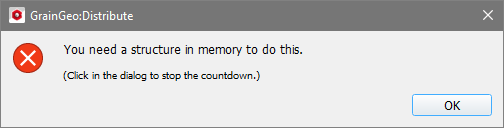
Without a structure in memory, clicking Generate results in an error message.
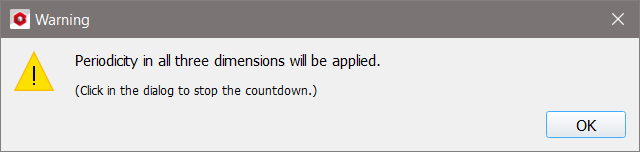
When the structure in the selected file is not periodic, an information message appears indicating that periodicity will be applied in all three directions and the loaded structure will be treated as periodic. The GAD objects are still distributed.
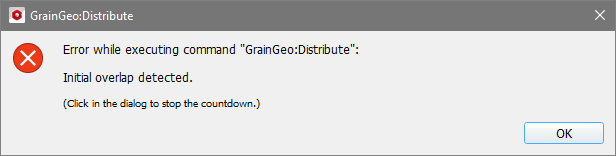
If the loaded structure contains overlap the distribution is not executed and an error message appears.
|
Distribute Parameters
In the Distribute Options dialog, Number of Iterations, Shift Distance, and Random Seed specify the distribution process.
Observe the process of distributing spheres in a 200 x 200 x 200 structure, periodic in all directions, generated with GrainGeo Create with a Voxel Length of 1 µm. The grain's centers follow a density distribution, which results in a layered structure. The following values are used for the distribution process: Number of Iterations are 20, Shift Distance is 4 voxels, Random Seed is 42.
Result File Name
At the top, the name for the file and folder containing the generation results can be entered in the Result File Name (*.gdr) box. The default name can be kept, or a new name can be chosen fitting the current project.
|
Parallelization
Control how many threads are used for the structure generation. Click the Edit button to access the available parallelization options.
Structure generation algorithms can be parallelized if your license and hardware allow it. The Parallelization Options dialog opens when clicking the Edit button, to choose between Sequential, Parallel (Shared Memory) or Automatic Number of Threads.
When Sequential is selected, no parallelization is applied.
When Parallel (Shared Memory) is selected, the Number of Threads can be entered. Below, the maximum number of available threads and the maximum number of licensed parallel processes is shown in the dialog.
If Automatic Number of Threads is selected, the number of parallel processes is automatically selected for optimal speed, based on the number of CPU cores and licensed parallel processes.
For up to eight Available Threads, all of them will be used. If more than eight threads are available, two cases might occur.
- The number of Available Threads is larger (or equal) than the Number of CPU Cores:
- Then the maximum of eight and Number of CPU Cores divided by 2 is used.
- The number of Available Threads is smaller than the Number of CPU Cores:
- Then the maximum of eight and number of Available Threads divided by 2 is used.

|
Note! Using Automatic Number of Threads prevents Hyper-Threading to ensure optimal loading of the processor.
|
|
Number of Iterations
The Number of Iterations determines how many distribution steps are done. More distribution steps lead to a wider distribution of the objects, which is getting closer to a uniform distribution.
|
Shift Distance
The Shift Distance determines the maximal object movement during a single iteration. Large shift distances lead to more computational time per iteration. Observe the effect of increasing the shift distance from 1 to 4 and then to 10, while the number of iterations is kept at 35.
|
Random Seed
Random Seed initializes the random number generator behind the object distribution. Changing its value produces different sequences of random numbers and hence, different realizations of the distribution. If all settings are equal, distributing the same initial structure with the same Random Seed value produces exactly the same structure. The Random Seed is a non-negative integer number, it increases automatically with every generation run.
|