Custom Generation Options
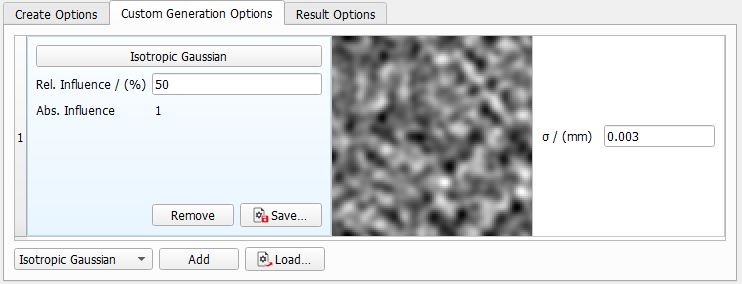
The stochastic field and gradient types available for the generation are organized and listed in panels. For all objects, the left column of the panel contains the Component Type name, the Relative Influence and the Absolute Influence. The absolute influence is computed automatically from the corresponding relative influence.
The resulting combined random field is the weighted sum of all components, where the weights depend on the Relative Influence.
The middle column shows a preview of the defined field or gradient. In the right column, the stochastic parameters of the components can be entered. These parameters include correlation length, direction vector and perpendicular axis.
Components
Isotropic Gaussian is the default Component. The Random Field and Gradient Components are selected from the pull-down menu at the lower left of the Custom Generation Options tab and clicking Add.
Components can be discarded again when clicking Remove in the left panel or can be saved as predefined component using the Save… button. Previously saved components with individually defined parameters can be loaded via the Load… button.
Component Topics |
|---|
|
