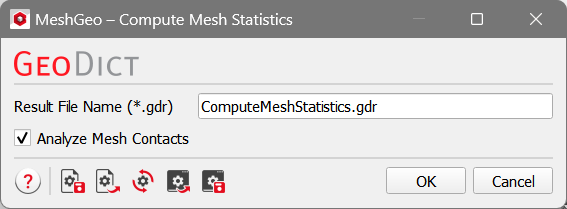
Compute Mesh Statistics
Click the Edit… button to set the parameters. The option Analyze Mesh Contacts determines if the shared interface between individual meshes should be analyzed or not.
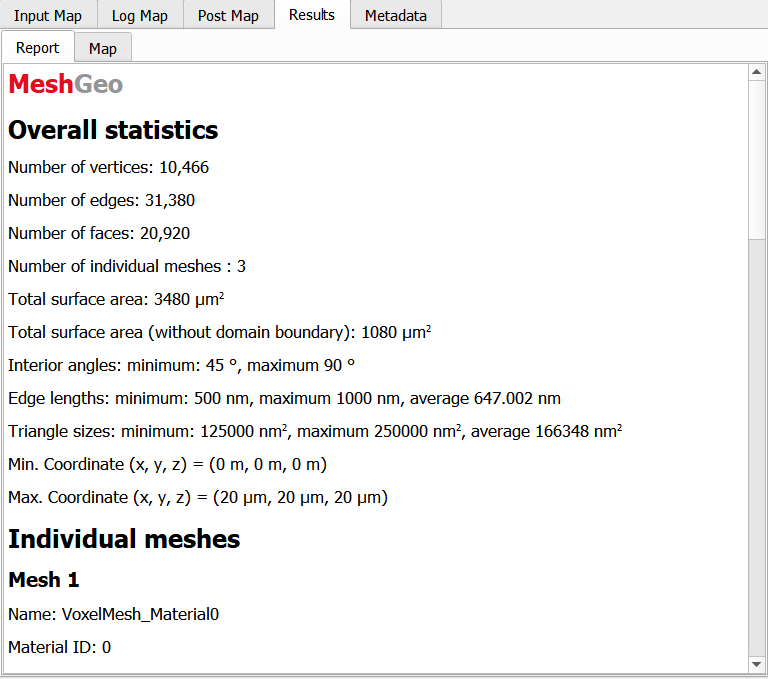
For a simple brick structure, the voxel mesh is generated for all the materials. When Analyze is done, the information of Overall statistics as well as the Individual meshes is given.
The overall statistics are shown in result viewer, include the number of vertices, edges, faces, meshes, surface area, angle, and coordinates.
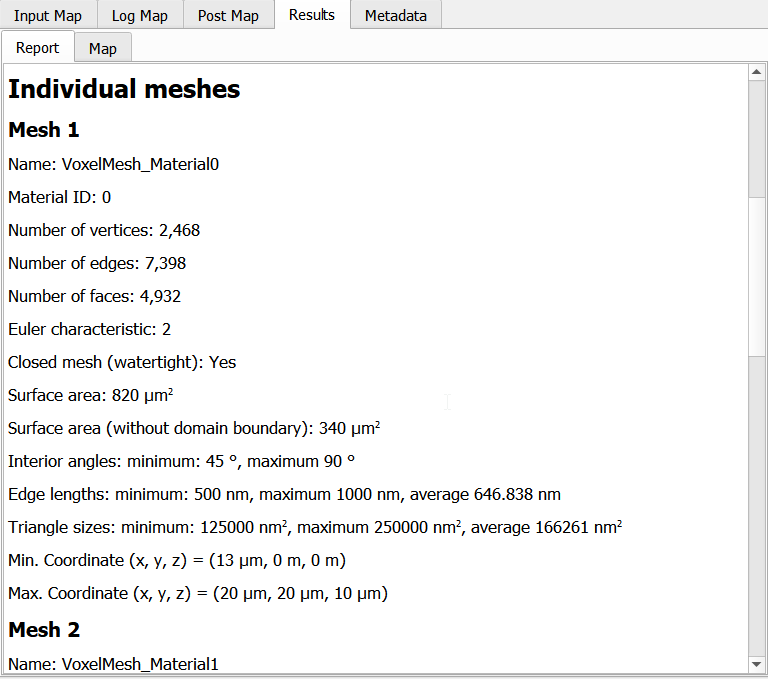
Detailed information is also given for each individual mesh.
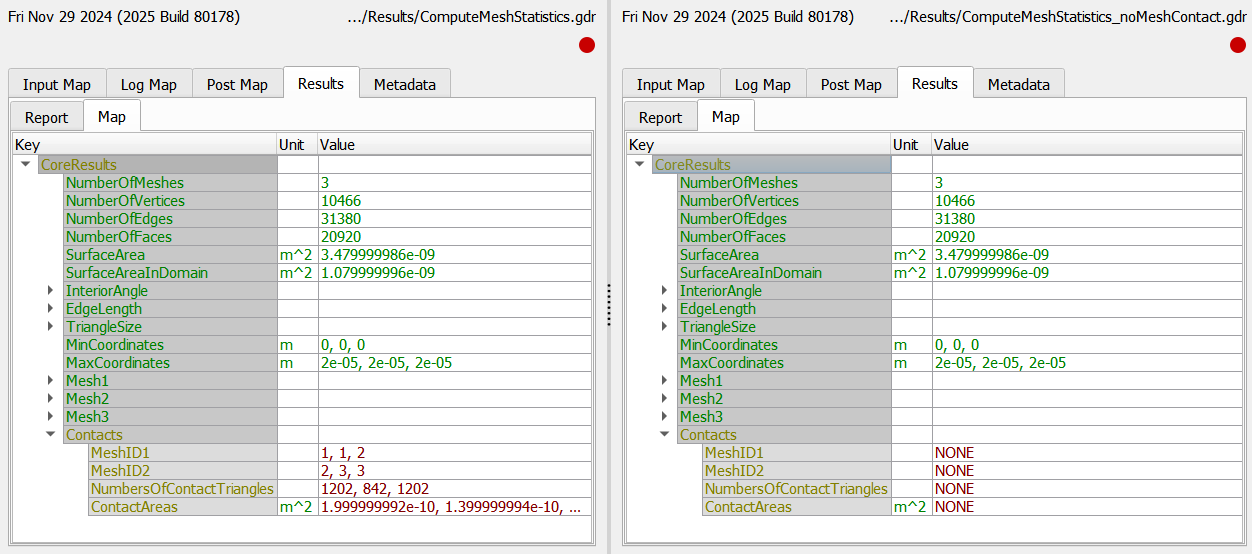
All the information can be found additionally in the result Map tab that can be accessed also with GeoPy scripts.
See the Result Viewer handbook for more information. When Analyze Mesh Contacts is not chosen, the information of Contacts is not provided.