Output
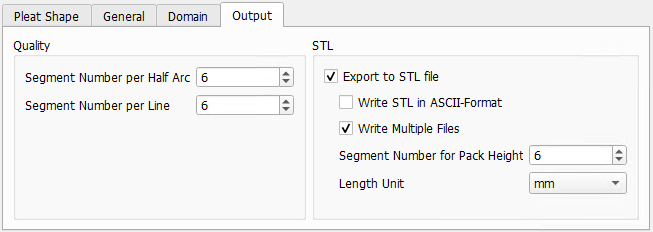
The parameters in the Output tab are grouped into the two panels Quality and STL.
 Quality
Enlarge the number of segments in a pleat to smoothen the pleat’s curvature.
The Segment Number per Half Arc defines how many segments the half valley or half tip in a pleat consists.
The Segment Number per Line defines how many segments are used to build the straight pleat part between the two arcs. This only affects the STL format of the pleat. The voxel structure (*.gdt) will not change with varying line segment numbers.
|
STL
Enable Export to STL File if the pleat structure should also be saved as *.stl.
Decide whether to Write STL in ASCII-Format or as a binary format.
If multiple layers are defined in the General tab, checking Write Multiple Files produces an STL for each layer.
The Segment Number for Pack Height defines how many segments are used to build the pleat medium height in Z-direction. Larger numbers produce more triangles for the STL in Z-direction.
Determine the Length Unit used in the STL file.
|