Results
The result file (*.gdr) is opened in the Result Viewer after the computation is finished.
Report Tab
Under the Report tab, the Characteristic diameters D10, D50, D90 are shown. These are the diameters such that 10%, 50%, or 90% of all pores have smaller diameter than the corresponding value. In this example, the D10 value of 1.75 µm means that 10% of all pores have a diameter smaller than 1.75 µm. The D50 value means that 50% of all pores have a diameter smaller than 3.55 µm. The D90 value means that 90% of all pores have a diameter smaller than 5.49 µm. The discretization error is less than 1 voxel, which means for the presented example, that the D10 is 1.75 µm ± 0.4 µm.
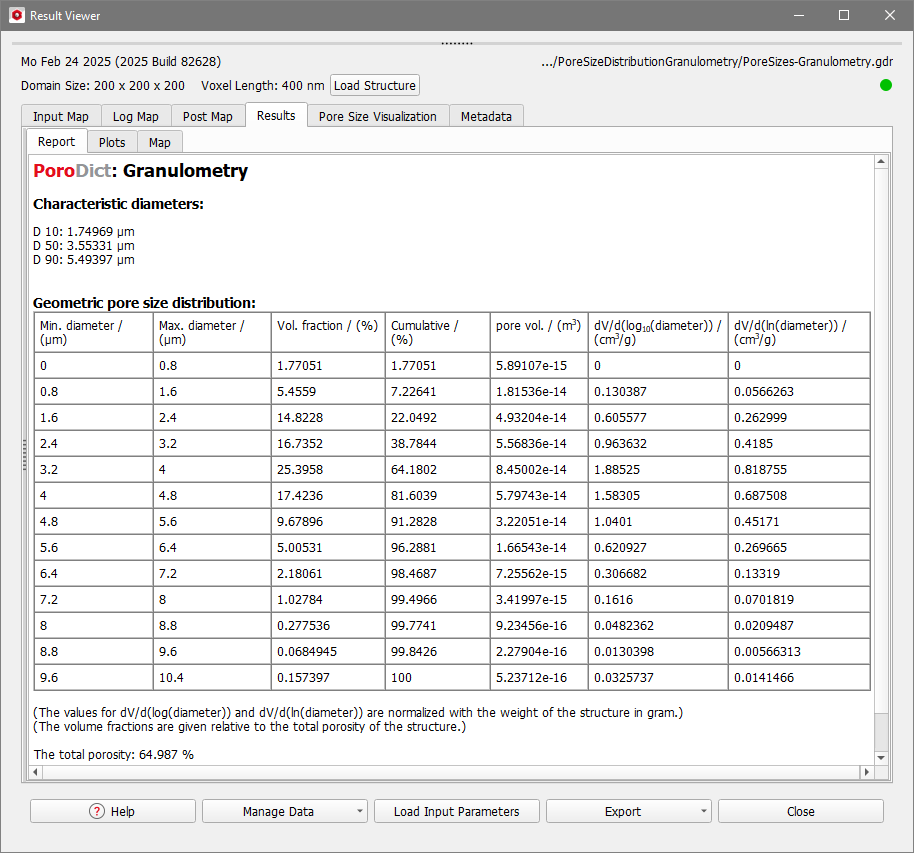
Underneath, a detailed table lists Minimum and Maximum Diameters, Volume Fraction, Cumulative Volume Fraction, Pore Volume, and the Differential Pore Volume Distribution for every bin. Also, at the bottom, the total porosity of the structure is shown.
The Volume Fraction of the pore voxels in each bin and the Cumulative Volume Fraction (starting with the smallest pore diameters) based on the total pore volume of the structure are shown. For each bin, the Pore Volume in m3 is computed as the summarized volume of the voxels that belong to this bin.
The Differential Pore Volume for each bin is computed, where both the common logarithm () and the natural logarithm () are shown. The differential pore volume distribution is then computed as:
with the pore diameter of the -th bin, the cumulative volume fractions, and the mass of the pores. The latter is computed using the densities of the constituent materials of the sample entered in the Material Densities tab. This normalization ensures that the value of the differential pore volume is independent of the domain size.
Plots Tab
Under the Results – Plots subtab, different relative and cumulative histograms can be plotted. The histogram of interest, i.e. Volume, Volume Fraction, or can be chosen in the Volume Histogram Plot section.
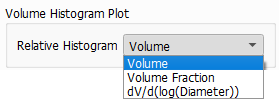
After choosing and clicking Apply…, the plots change accordingly.
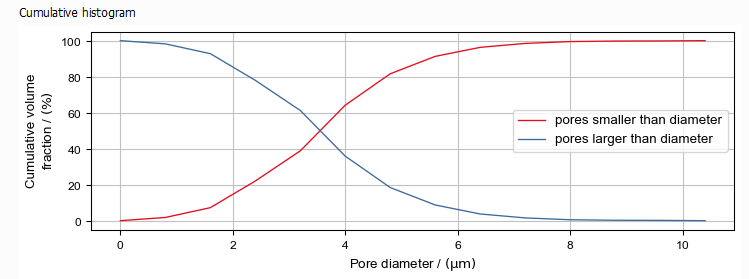
In the Cumulative Histogram plot, the red curve shows the volume fraction of pores smaller than a given diameter and the blue curve shows the pores larger than or equal to a given diameter. Both curves sum up to 100% for any given diameter.
Map Tab
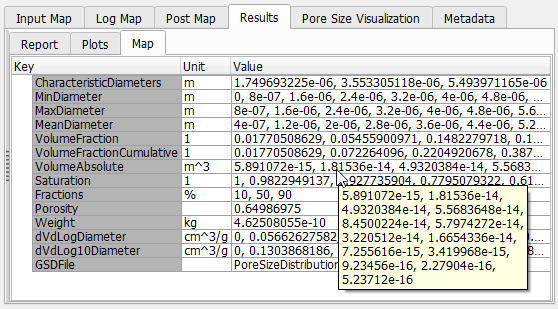
The Results - Map subtab gives access to the values of the computed parameters.