PoroDict Section
Access the available PoroDict commands via the PoroDict section. To open the PoroDict module, select Analyze → PoroDict in the GeoDict GUI menu bar. In the PoroDict section, the pull-down menu lists all available PoroDict commands.
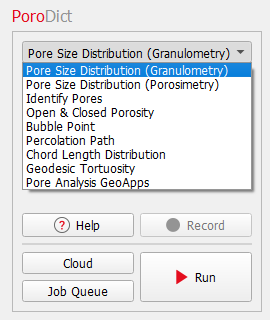
Select a command from the pull-down menu and enter the necessary parameters through the corresponding Options’ Edit … button located in its panel.
After setting the input parameters for the selected PoroDict command, clicking Run in the PoroDict section starts the computation. The Result Viewer of showing the results is opened automatically.
Macro files are recorded and saved when selecting Macro → Start Macro Recording... in the menu bar. When recording a macro, Record becomes active and Run changes to Run & Record.
Click Cloud to run it in the GeoDict cloud. Click Job Queue to run the computation on machines connected in your local network. If interested in cloud simulations or job queueing, contact Math2Market to apply for a GeoDict cloud or job queueing license.
|
Know how! On the bottom of each dialog, find the following options:
Each option is explained by a tooltip which appears when resting the mouse over the icon. |


