Options
The Bulk (Laplace) Diffusion options are organized under five tabs: Constituent Materials, Boundary Conditions, Solver, Grid, and Equations & References.
Enter a Result File Name for the files that will contain the results of the computations.
Constituent Materials
Under the constituent materials tab, the user sets the material IDs corresponding to the pore space and those that denote solids. All material IDs marked with a green checkmark ü are open for diffusion. All other material IDs are treated as solids and no diffusion takes place there.
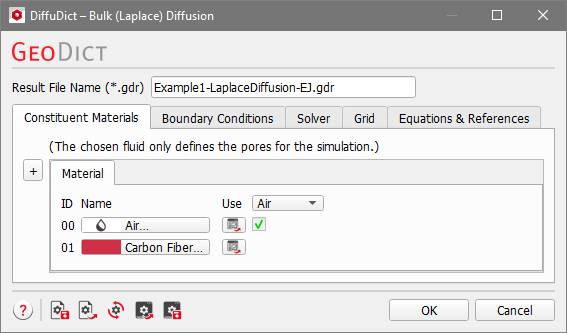
As described here, the specific choice of fluid and constituent materials does not influence the result of the simulation here.
Boundary Conditions
The options in this tab are the same as defined for the Simulate Diffusion Experiment command and are described here.
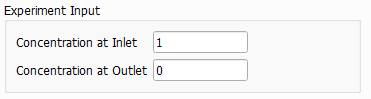
The only difference to the Simulate Diffusion Experiment command is that the concentration drop in diffusion direction (Experimental Input) has no physical units. As described here, a dimensionless equation is solved, and therefore the concentration given here has no physical unit.
Solver
The options in this tab are the same as defined for the Simulate Diffusion Experiment command and are described here.
Grid
The options in this tab are the same as defined for the Simulate Diffusion Experiment command and are described here.
Equations & References
The Equations & References tab shows the relevant equations for illustration and explains the used variables and constants. Remark, that the concentration and relative diffusivity are dimensionless parameters here.
