Create in Current Domain
When checking Create in Current Domain, the parameters of the domain currently in memory, are used for the generation of a new structure. Additionally, when Keep Current Objects/Structure is checked, the structure in memory is kept and combined with the newly generated fibrous structure.
This feature can be used in combination with checking Prohibit Fiber Overlap or Prohibit Overlap with Current Structure in the Generation and Overlap Mode panel or with the Center distribution On Current Options available under the Fiber Options tab.
In this way, complex models can be created. For example, you can make fibers cover a mold that is later discarded.
Note that the parameters grouped under the Domain panel, including the voxel length, cannot be modified once the Create in Current Domain box is checked, because they are taken from the structure already in memory.
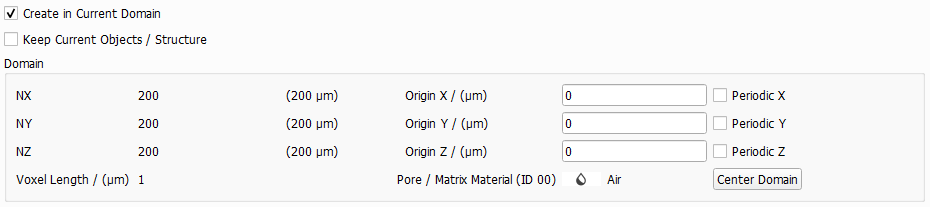
Observe the effect that Create in Current Domain and Keep Current Objects/Structure have on the generation of a fibrous structure.
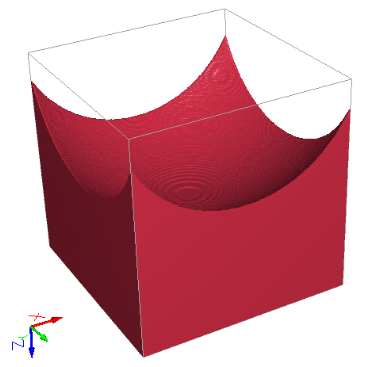
Here, a mold is generated and present in memory (current structure) while polyamide PA-66 fibers are added. Prohibit Overlap with Current Structure is checked to avoid the PA-66 fibers to enter the mold, but the PA-66 fibers can overlap each other.
If additionally, the PA-66 fibers should not overlap each other, the more restrictive Prohibit Fiber Overlap should be checked instead.
The PA-66 fibers are automatically assigned the Material ID 02 when keeping the current structure (with Material ID 01).
In the following example, the same mold is made, and then PA-66 fibers are generated into the mold, which is not kept. Then, the current structure made of PA-66 fibers is kept and PET fibers are generated in the same form that the mold previously had.
In every step, overlap is prohibited with the current structure but not between the newly generated fibers.
