Pile Fibers
Simulate fibers falling, rotating and finally settling to create the structure.
With the selection of Pile Fibers from the FiberGeo section pull-down menu, fibers fall from their initial positions during the structure’s generation and form a piled fibrous structure.
Clicking the pile Options’ Edit… button opens the FiberGeo Pile Options dialog.
At the top left, the name for the files containing the generation results can be entered in the Result File Name (*.gdr) box. The default name can be kept, or a new name can be chosen fitting the current project.
The available units (m, mm, µm, nm, and Voxel) are selectable at the top right of the dialog. When the units are changed, the entered values are adjusted automatically.
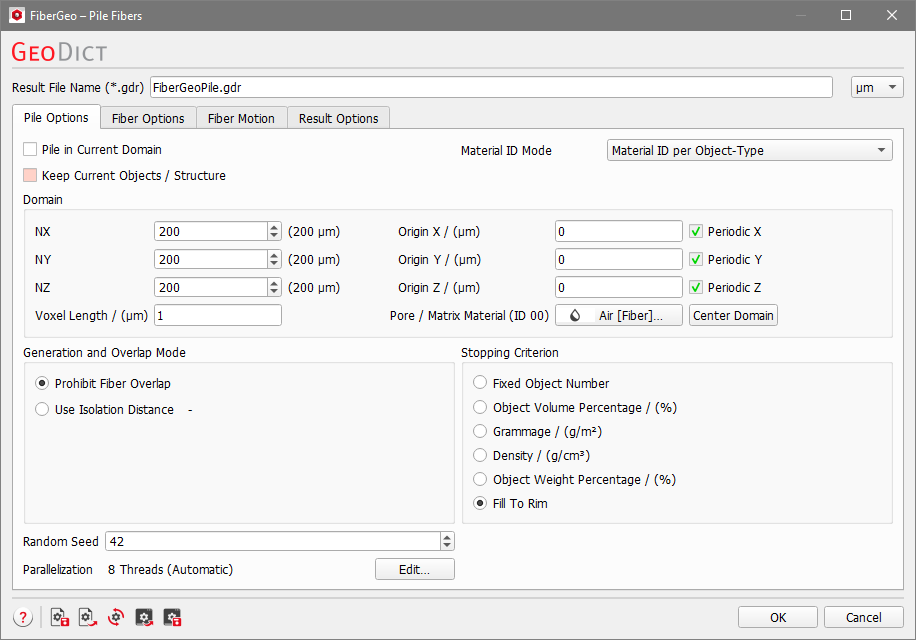
The options are organized into four tabs: |
|---|
|
