Constituent Materials
The Temperature is selectable in Kelvin (K), Celsius [°C], and Fahrenheit (F). The chosen temperature changes the density and viscosity values of the fluid during the simulation, if those are defined to be temperature-dependent in the material database.
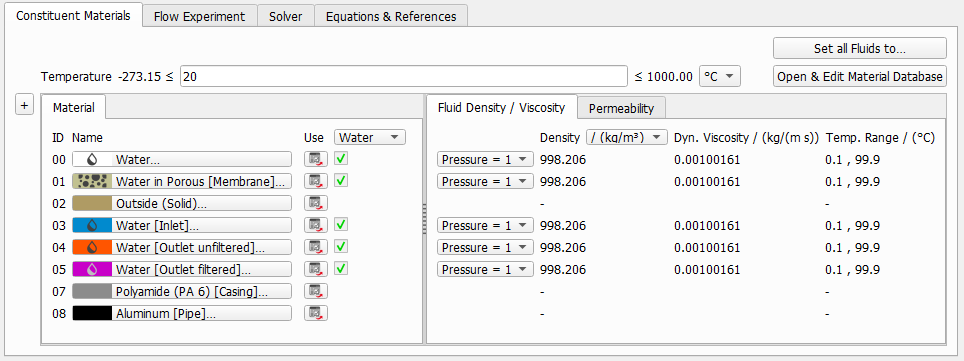
FilterDict uses single-phase flow simulations. It is not possible to run a flow simulation if two fluids are present in the structure. If multiple fluids are present in the structure, you may click Set all Fluids to …. and select the fluid for the simulation.
The selected fluid is shown under the Material subtab The density and the dynamic viscosity of this fluid is shown under the Fluid Density/Viscosity subtab.
If a fluid from the GeoDict Material Database is used, the values for Density and Dynamic Viscosity are taken from the database and can be dependent on the given Temperature value. If Manual is chosen, these values can be entered manually.
Also, under the Material subtab, the material IDs of the materials in the structure are shown (00, 01, 02, etc.). Choose materials by clicking on the material buttons.
Under the Permeability subtab, enter the permeability of porous materials present in the structure. If no porous materials are present in the current 3D structure, no parameters have to be set on this tab. For all porous materials, the flow permeability must be set here. It can either be Isotropic or Anisotropic, in which case the permeabilities in the three space directions X,Y,Z can be entered.
