Match SVF Distribution Example
How to use Match SVF Distribution requires some more detailed explanations.
One way to use the algorithm is to create a mask structure and to convert this mask into a solid volume fraction file with a lower resolution (*.gvf). This file is afterwards used to change a base structure to follow the solid volume fraction distribution described by the mask file. This workflow is shown here.
First, a mask structure is created. Here, a perforated foil created with GridGeo is used. Afterwards, this mask is converted into a solid volume fraction distribution file using Material Statistics -> 3D Inhomogeneity with default settings in MatDict.
Now, we create a base structure of homogeneously distributed spheres with GrainGeo, where the mean solid volume fraction is 30%. The grain structure is loaded and the created solid volume fraction file (*.gvf) is chosen in the Match SVF Distribution dialog. Otherwise, we keep the default settings. Now, we run the Match SVF Distribution command.
The base structure, created with GrainGeo, and the structure matching the relative solid volume fraction distribution of the foil, are shown below.
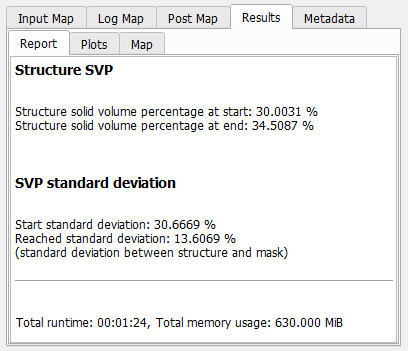
As shown in the example, the main result is a structure matching the desired SVF distribution. Additionally, a *.gdr file is created, which contains information about how well the solid volume fraction distribution was matched and how the mean solid volume fraction has changed during the matching process.