ElectrodeGeo - Anode
The ElectrodeGeo- Anode app generates an anode according to the given materials and solid volume percentages.
|
Modules needed to run this GeoApp: GrainGeo |

Parameters
Clicking Edit opens the ElectrodeGeo - Anode Parameters dialog.
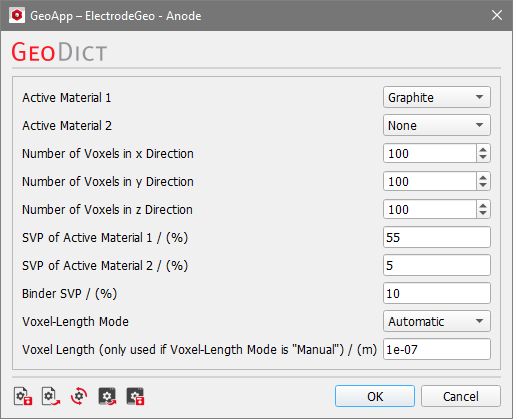
Two active materials can be set. If only one active material is needed, set the Active Material 2 to None.
For the anode active materials select between Graphite, Si and LTO.
Define the volume dimensions as Number of Voxels in the three directions.
Determine the solid volume percentages (SVP) for the active materials and the binder.
The voxel length can either be given manually or it can be set to automatically fitting the other parameters. For this, choose the corresponding Voxel-Length Mode.
Results
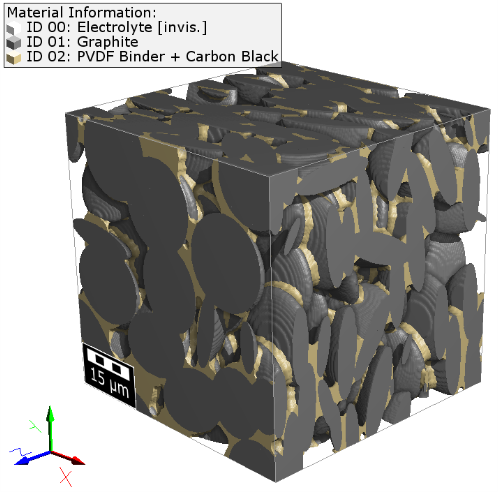
Clicking Run creates the anode. Below find the anode generated with the default settings, except for a larger domain size (250x250x250 voxel).
|
Know how! This GeoApp does not save the resulting structure automatically. Thus, remember to save the file by secting File - Save Structure as from the menubar. |

