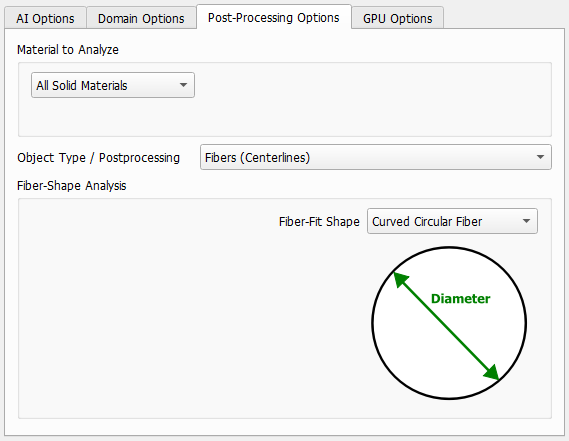
Post-Processing Options
The parameters under the Post-Processing Options define how the neural network will be applied and are already described here.
 Material to Analyze
The Material to Analyze panel offers the choice of whether GeoDict-AI should be applied to all solids in the structure or only on a subset, defined either by choosing material IDs or materials.
If Chosen Material is selected, select the material to analyze from the pull-down menu on the right. All other materials will be considered as background by the neural network.
If Chosen Material IDs is selected, choose the material IDs to analyze from the pull-down menu on the right. All other material IDs will be considered as background by the neural network.
|
Object Type / Postprocessing
Define the Object Type / Postprocessing that was used for creating the training data. Select Fibers (Centerlines) if the network was trained to identify the individual fibers. If instead different materials as for example fibers and binder are distinguished, select Material Phases.
Fibers (Centerlines) can only be applied, if a valid FiberFind license is available.
|
Fiber-Fit Shape
If Fibers (Centerlines) is selected, decide on the Fiber-Fit Shape from the pull-down menu, depending on the training data. In the bottom right corner, Curved Circular Fiber and Short Circular Fiber are available.
|