Pile Grains
When choosing Pile Grains from the pull-down menu in the GrainGeo section, objects fall from their initial positions during the structure’s generation. They rotate and shift until they settle to form a piled granular structure.
When the desired parameters have been entered, clicking OK closes the dialog and returns to the GrainGeo section. There, clicking Generate starts the piling process.
At the top left of the GrainGeo Pile Options dialog, the name for the files containing the generation results can be entered in the Result File Name (*.gdr) box. The default name can be kept, or a new name can be chosen fitting the current project.
The available units (m, mm, µm, nm, and Voxel) are selectable at the top right of the dialog. When the units are changed, the entered values are adjusted automatically.
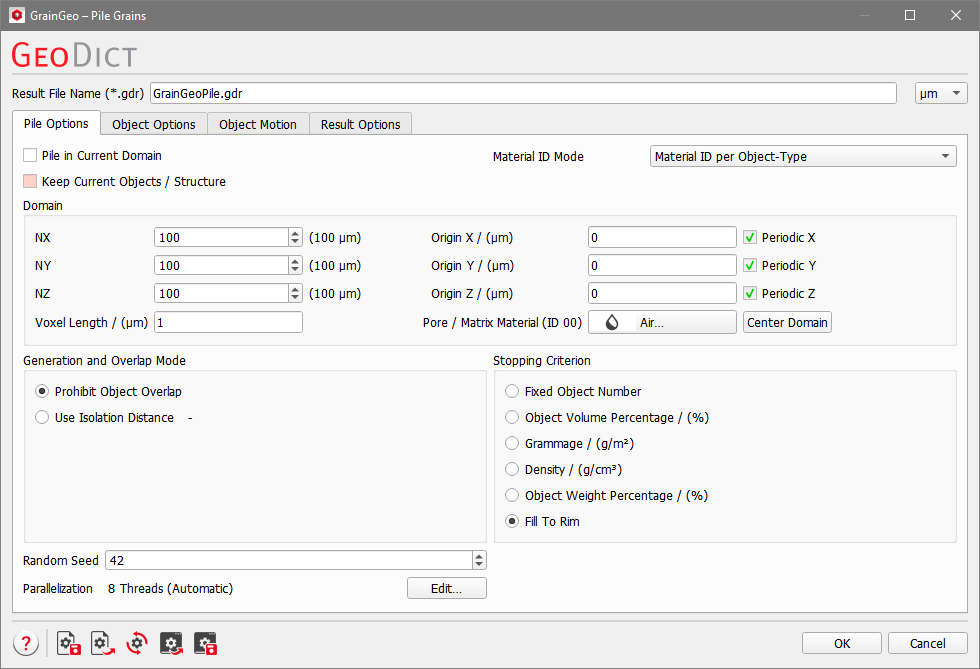
The parameters are organized into four tabs: |
|---|
|
The result files are saved in the chosen project folder (File → Choose Project Folder, in the Menu bar). If a GeoDict result file (*.gdr) with the given name already exists in the project folder, a warning message is shown at the start of the creation process. You can either decide to rename the chosen file name to a new one, to cancel the generation process, to overwrite or to back up the old file. When nothing is selected, GeoDict uses the Back-Up option after a waiting time.
