While GeoDict runs, a GeoDict Base license is always required. To have access to each module’s section and settings dialogs, a license of the respective module is also required.
While a (parallel) computation runs, the respective number of licenses for the parallel processes are required. For example, a FlowDict computation using 8 parallel processes will require 8 “FlowDict-Processes” licenses. If the computation is started from the graphical user interface of GeoDict, the user interface is blocked during the computation. It is possible to free all module licenses except the needed ones before starting the computation such that other users may take them as described above. However, this step is inconvenient to do and often forgotten.
Therefore, GeoDict offers the possibility to free all unused modules while a computation runs:
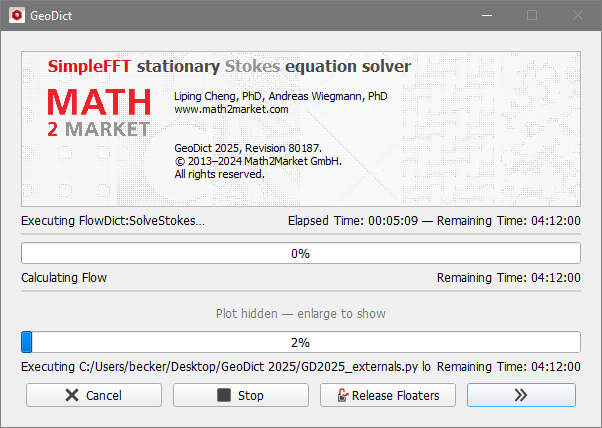
All progress bar windows contain a button Release Floaters. Click on this button to return all module licenses held by this instance of GeoDict that are not in use for this computation.
Be aware that this means that after the computation has finished the respective module sections will no longer be available in this GeoDict instance and you have to lock them again through the Manage Floating License dialog as described above.
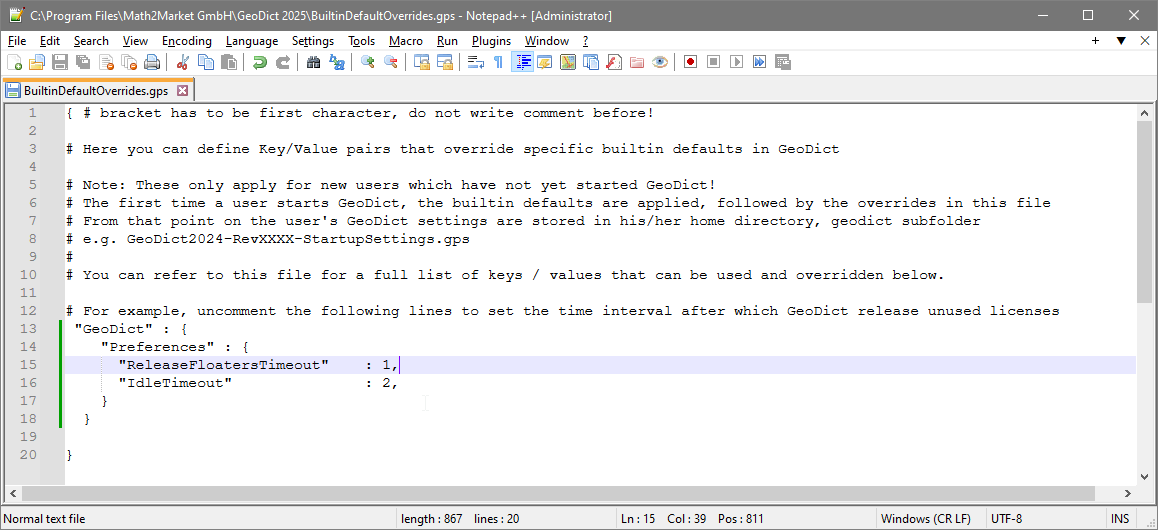
It is also possible to set up GeoDict such that the floaters are automatically released after a certain time. Select Settings → Settings… in the main menu.
In the dialog, you may set the Floater Release Timeout. The given time interval (in hours) determines after which runtime of a process unused floaters will be released (the behavior is identical to clicking on the Release Floaters button). A value of 0 switches off this feature. Do not forget to click on the Set current settings as startup settings button to store these settings afterwards.
It may easily happen that users forget to close GeoDict after they have finished using the software. In these cases, the GeoDict executable continues to block a license, even if it does not do any computations. Therefore, it makes sense to define an Idle Timeout. The given time interval (in hours) determines after which idle time (i.e., no running computation and no user interaction with the software) GeoDict will release all licenses to the server. A value of 0 switches off this feature.
When GeoDict automatically gives back the license it does not close. Unsaved data is therefore not lost. Rather, GeoDict displays a blocking pop-up window that lets you reacquire the license and continue to work anytime later.
|
 How to release unused licenses during GeoDict computations