MatDict Section
Access the available MatDict commands via the MatDict section. To open the MatDict module, select Analyze → MatDict in the GeoDict GUI menu bar. In the MatDict section, the first pull-down menu lists all available MatDict groups.
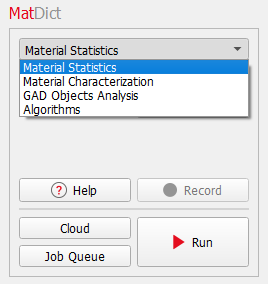
The available groups of MatDict commands are: |
|---|
|
A second pull down menu lists the available commands from the selected group.
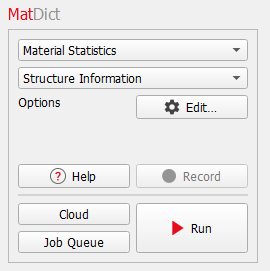
Select a command from the pull-down menu and enter the necessary parameters through the corresponding Options’ Edit … button located in its panel.
After setting the input parameters for the selected MatDict command, clicking Run in the MatDict section starts the computation. The Result Viewer of showing the results is opened automatically.
Macro files are recorded and saved when selecting Macro → Start Macro Recording... in the menu bar. When recording a macro, Record becomes active and Run changes to Run & Record.
Click Cloud to run it in the GeoDict cloud. Click Job Queue to run the computation on machines connected in your local network. If interested in cloud simulations or job queueing, contact Math2Market to apply for a GeoDict cloud or job queueing license.
|
Know how! On the bottom of each dialog, find the following options:
Each option is explained by a tooltip which appears when resting the mouse over the icon. |


