Pleat Shape
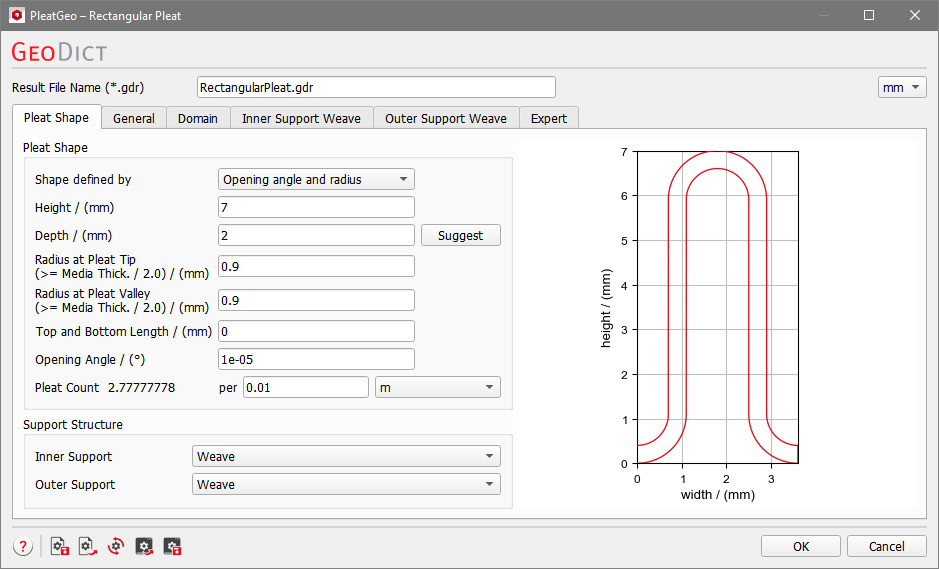
The shape properties of the pleat structure are entered under the Pleat Shape tab. These parameters are grouped into the panels Pleat Shape and Support Structure.
Pleat Shape
When entering Pleat Shape parameter values, the pleat preview at the right of the panel changes interactively and displays the effect of these adjustments on the pleat shape.
If invalid values are entered, the preview shows the error message “Drawing not possible” and no pleat can be generated.
 Shape defined by
|
There are three different options to define the pleat’s shape. The combinations Opening angle and radius, Pleat count and opening angle or Pleat count and radius can be chosen from the pull-down menu. As the three parameters Opening Angle, Radius and Pleat Count are not independent, the respective third parameter is computed automatically from the others.
|
Height and Depth
Pleat Height and pleat Depth are the physical dimensions of a single pleat in the Z- and Y-directions, respectively. Clicking the Suggest button shows the pleat Depth value that is recommended for the inner and outer support parameters. The suggested value is the minimum to generate one netting (or weave) unit cell in Y-direction. If no inner and outer support is chosen, Suggest is grayed out.
Only a short segment of the length of the pleat is modeled. This length in X-direction, or pleat width, is calculated automatically from the mesh parameters so that it corresponds to the period length of the mesh. This choice gives the smallest possible representative structure of the pleat that is usable for property computations.
|
Radius at Pleat Tip / Valley
The values of Radius at Pleat Tip and Radius at Pleat Valley determine the upper pleat radius and lower pleat radius measured at the upper or the lower folds of the pleat.
If Pleat count and radius is chosen for defining the pleat’s shape, only the top radius can be edited, as the bottom radius is set to the same value.
Defining the shape by Pleat count and Opening Angle also leads to same values for Radius at Pleat Top and Radius at Pleat Valley, but then both cannot be edited.
Otherwise, if Opening angle and radius is chosen, the values of radius at pleat tip and radius at pleat valley can be different. Observe how the pleat (repeated using the ProcessGeo module) achieves a different form when the pleat radii vary while other pleat parameters are kept constant.
|
Top and Bottom Length
Pleat Top and Bottom Length controls the distance between two folds of the pleat medium in X-direction. A straight piece in the defined length is inserted both in the top and in the bottom crest.
|
Opening Angle
The Opening Angle determines the angle between the pleats in the ZX-plane.
Variations of the Top and Bottom Length and the Opening Angle allow many different pleat geometries.
|
Pleat Count
Pleat Count defines the number of pleats in the specified distance. The values for number and distance can be entered in the boxes. The available units are m, cm, or inch. Observe the variation in pleat shape for different pleat counts after selecting Pleat count and opening angle (for Shape defined by).
|
Support Structure
The two pull-down menus display the available choices for the support structure.
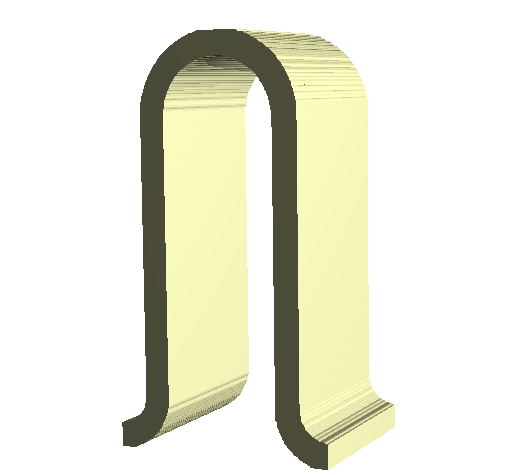
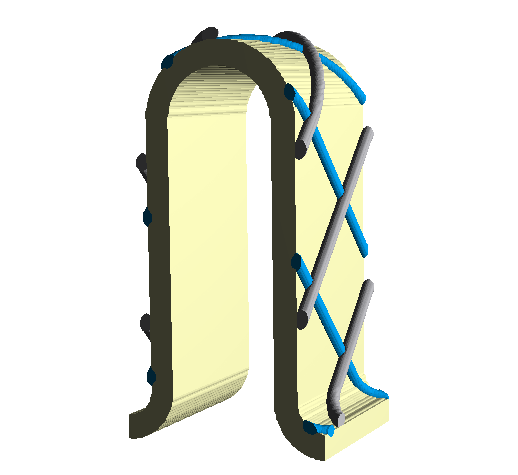
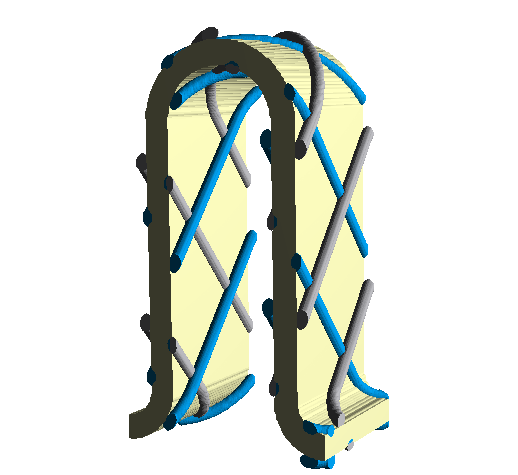
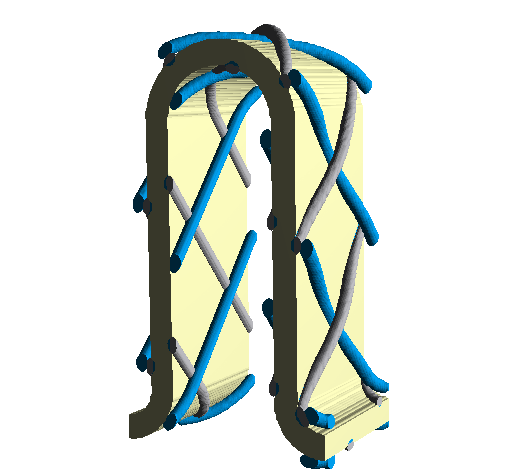
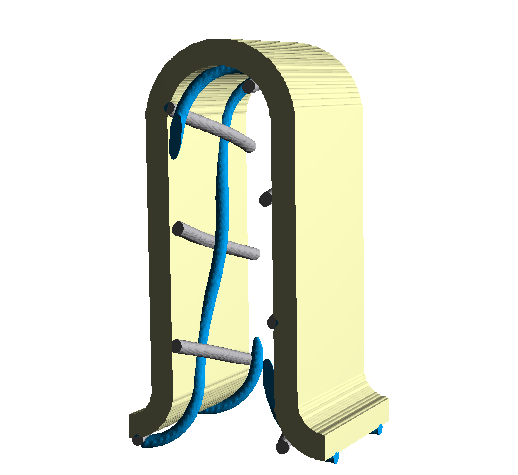
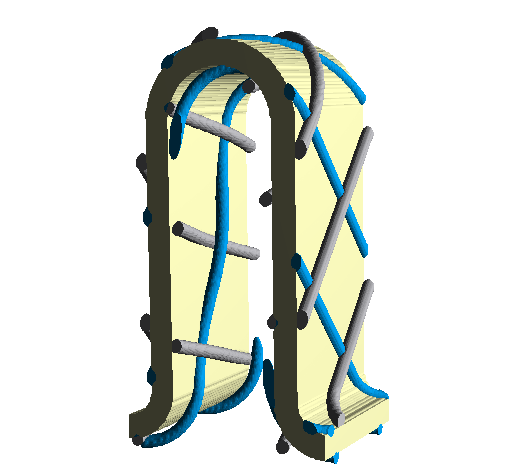
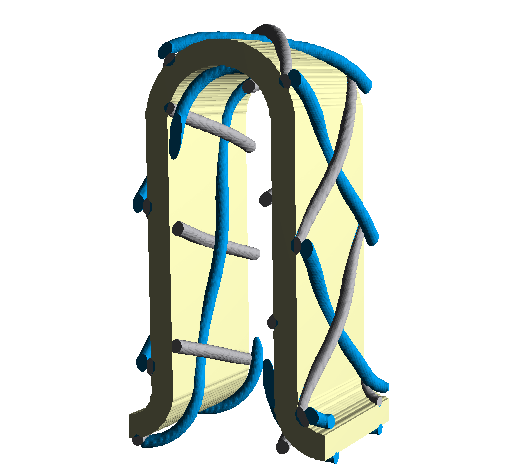
The generated pleated structures may be supported by an Inner Support and Outer Support. This can be Weave, Netting or no support (None).
Netting
The outer and inner Netting are welded-melted structures consisting of inward and outward wires crossing each other at regular intervals without going over or under each other.
Inner, outer, inward, and outward are defined in PleatGeo assuming that the “inside” is on the upstream side of the pleat and its “outside” on the downstream side.
Define the netting parameters in the corresponding tabs.
|
Weave
The Inner Weave and the Outer Weave are support structures made of woven warp and weft wires which interlace over-and-under each other in given weave pattern (Plain weave, Twill 2/1 Weave, Twill 2/2 Weave).
Define the weave parameters in the corresponding tabs.
|
Combinations of inner and outer support
The nine combinations of these choices are shown below in a pleat with one layer:
No inner Support
|
No inner Support
|
No inner Support
|
No outer Support
|
Outer Netting
|
Outer Weave
|
|
|

|
|
|
|
Inner Netting
|
Inner Netting
|
Inner Netting
|
No outer Support
|
Outer Netting
|
Outer Weave
|

|
|
|
|
|
|
Inner Weave
|
Inner Weave
|
Inner Weave
|
No outer Support
|
Outer Netting
|
Outer Weave
|
|
|
|
|