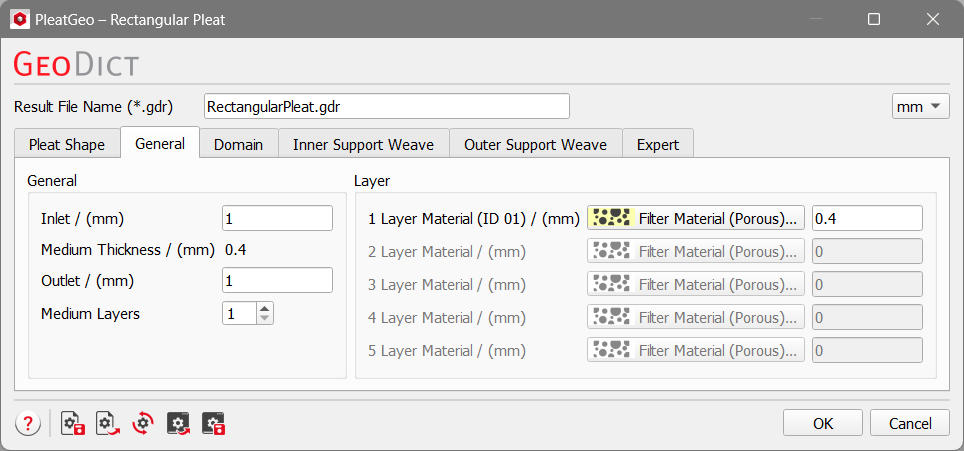
General
The general parameters are organized into the General panel and the Layer panel.
General
 Inlet and Outlet
Inlet and Outlet of the pleat are the empty inflow and outflow regions above and below the pleat in Z-direction.
The inlet (small Z-values, high pressure region) and outlet (large Z-values, low pressure region) should be chosen large enough so that the influence of boundary conditions in flow direction is reduced in flow simulations.
|
Medium Thickness
Medium Thickness defines the total thickness of the pleat medium and corresponds to the sum of the thickness of all layers.
The value of Medium Thickness changes automatically when modifying the thickness of the layers.
|
Medium Layers
The value entered in Medium Layers determines the number of layers that form the pleat medium. Up to five layers of varying thickness may form the pleat.
|
Layer
1, 2, 3, 4, and 5 Layer Material define the material and the thickness of each layer material forming the pleat medium.