Initialization
From the pull-down menu, select what should be the basis for the analysis.
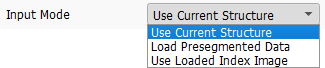
Use Current Structure
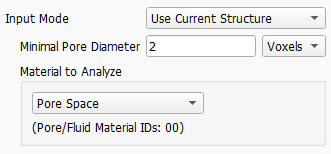
Select Use Current Structure to use the structure currently in memory. Below, enter the Minimal Pore Diameter, which defines the minimal size an individual pore must have for the analysis. The unit of Minimal Pore Diameter can be selected as Voxels or m.
|
Note! The initialization (the watershed algorithm) might be time consuming for large structures. Thus, the options Load Presegmented Data or Use Loaded Index Image are useful when performing parameter studies with PoroDict – Identify Pores, where the initialization is kept unchanged while other parameters are varied. |



Load Presegmented Data
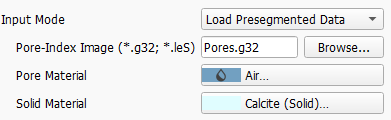
If you want to import already segmented data from an index-image file (*.g32 or *.leS) select Load Presegmented Data. In this case Browse for the file you want to load below.
|
Know how! For Load Presegmented Data, the difference between the *.g32 and *.leS formats is that *.g32 is a binary format, which produces comparatively smaller files but is not human readable, and *.leS is an ASCII-format which is human readable, but produces larger files. Furthermore, loading a *.g32 file into GeoDict is much faster than loading a *.leS file. Therefore, we recommend to use the *.g32 option. |

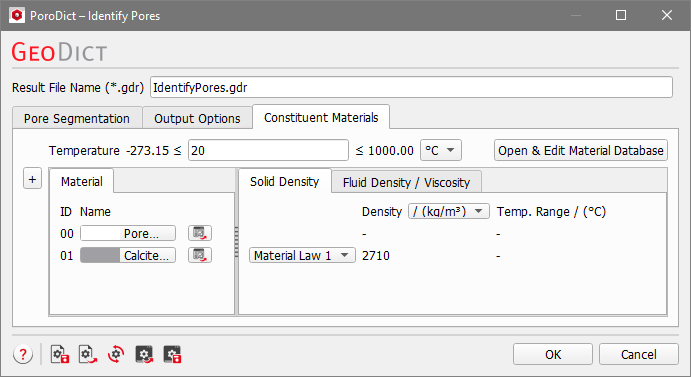
For the presegmented data you have to define the Pore Material and the surrounding Solid Material by clicking on the corresponding buttons and choosing the material. For this Input Mode the Constituent Materials tab is not available and thus grayed-out.
Use Loaded Index Image
Alternatively, you can use the currently loaded *.g32 file by selecting Use Loaded Index Image. Then, the name of the *.g32 file will be displayed below or it is shown that no Index Image is loaded.
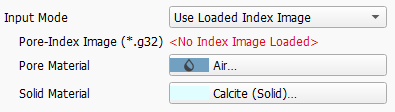
|
Know how! Check Use Loaded Index Image if the presegmented data is already loaded into GeoDict. In that case, it can be used directly and it is not necessary to load it again. |
When choosing the loaded index image as input you have to define the Pore Material and the surrounding Solid Material by clicking on the corresponding buttons. For this Input Mode the Constituent Materials tab is not available and thus grayed-out.
