Weave GeoApps
When Weave GeoApps is selected in the WeaveGeo section, several representative structures can be chosen from the pull-down menu.
For each of these structures, a macro in Python format exists, that is executed if the generation process is started. The macros are delivered within the WeaveGeo folder in the GeoDict installation folder. These macros can be used as basis for new structures by modifying parameters to generate user-defined weaves.
Various parameters define each of the structures generated by the macros, such as resolution parameters (Voxel Length), Number of Cells in X and Y direction, Weft and Warp Diameter, or Warp Pitch.
By clicking the Options’ Edit... button, the corresponding parameter dialog is opened and the main parameters defining the weave can be changed.
Clicking Open Macro / Script File opens the macro file for the selected weave in a text editor. The syntax and the steps involved in the generation can be observed. Macros from the WeaveGeo folder can also be modified and saved as a local, customized macro in the user’s project folder. More on macro creation can be found in the GeoPy Scripting User Guide. The GeoApps User Guide explains how a macro can be added as user-defined GeoApp.
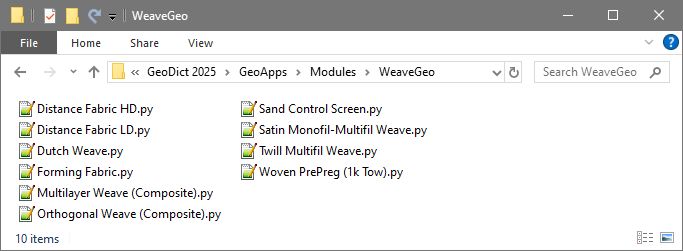
Any custom macro added to this WeaveGeo folder appears as Weave GeoApp in the pull-down menu list in the WeaveGeo GUI.
When all parameters are defined, create the structure by clicking Run.
In the project folder, a result file (*.gdr) and a folder with the same name containing the generated structure, are automatically saved. After the generation has finished, the Result Viewer opens automatically and displays the result file (*.gdr). The generated structure is shown in the visualization area and can be rendered in 3D. More information on the Result Viewer can be found in the Result Viewer User Guide.
