Domain
In this tab, you select the parameters for the domain in which the weave is created.
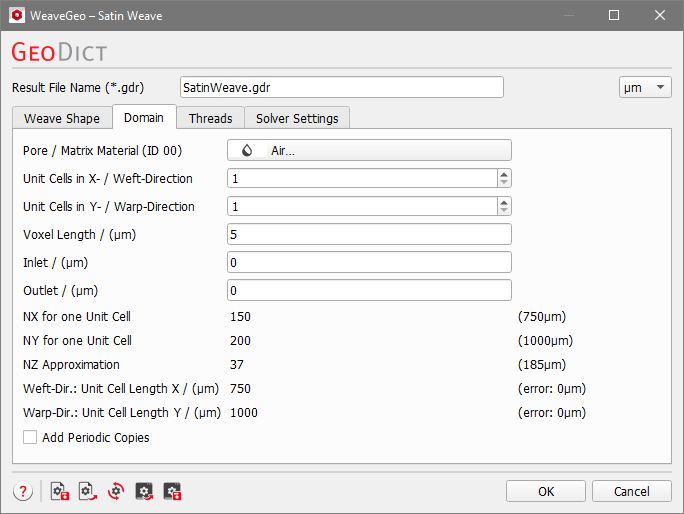
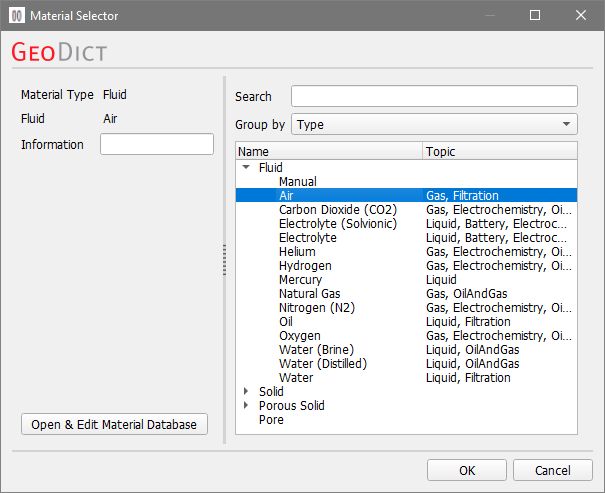
By clicking the Pore/Matrix Material (ID 00) button, the Material Selector opens to select the material which occupies the space surrounding the threads (e.g. Air) from the GeoDict Material Database. The surrounding material always has Material ID 00.
The values in Unit Cells in X-/Weft Direction and Unit Cells in Y-/Warp Direction set the number of repetitions of the generated unit cell. Thus, a large number of unit cells also leads to a larger structure.
The Voxel Length is the size of a voxel in the chosen units (set at the top right). To observe the effect of increasing voxel length, select Box renderer under View → 3D Structure Renderer → Box, instead of Smooth renderer (since this option softens the visualization).
The values of Inlet (-Z direction) and Outlet (+Z direction) determine the size of the void regions in the chosen unit below and above the created woven structure.
The values for NX for one Unit Cell, NY for one Unit Cell, and NZ Approximation indicate the number (N) of voxels in X, Y and Z-direction for the unit cell. Analogously, Weft-Dir.: Unit Cell Length X and Warp-Dir.: Unit Cell Length Y show the length of the unit cell in the chosen length unit.
These values are not editable, since they are depending on the defining parameters of the structure, as for example the thread widths and pitches and the thread broadening.
The option Add Periodic Copies helps to prevent problems when exporting a mesh of the structure. If this option is enabled, periodic copies of one unit cell are added in each direction of the X-Y-plane. The periodic copies are only stored as GAD information (analytical object information) and have no influence on the voxelized geometry. It is not necessary to check this option when the structure is used only in GeoDict. If the structure should be exported to a mesh (with ExportGeo-CAD of MeshGeo), this option should be enabled to prevent artefacts at the domain boundary.
