Parallelization
Control how many threads are used for the computation. Parallelization is possible if your license and hardware allow it.
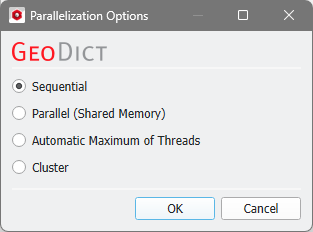
The Parallelization Options dialog opens when clicking the Edit button and you can choose between Sequential, Parallel (Shared Memory), Automatic Maximum of Threads, or Cluster (only available if EJ, SimpleFFT, or FeelMath were selected as solver).
The parallelization of the solvers is done with two technical methods: MPI Parallelization or Thread parallelization. The following table shows the support of both parallelization methods:
Solver
|
Parallelization method
|
|
MPI Parallel
|
Thread Parallel
|
EJ
|
✔
|
✖
|
SimpleFFT
|
✔
|
✖
|
LIR
|
✖
|
✔
|
FeelMath
|
✔
|
✔
|
BEST
|
✖
|
✔
|
Depending on the used parallelization method, the Number of Processes (MPI parallel) or the Number of Threads (thread parallel) can be entered.
 Sequential
Selecting Sequential will not apply parallelization and only one thread is used for the computation.
|
Parallel (Shared Memory)
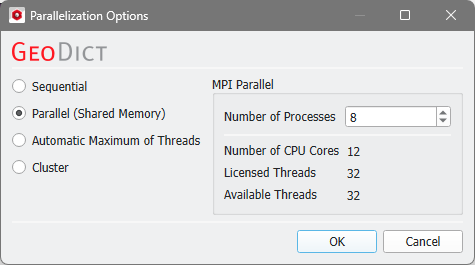
When Parallel (Shared Memory) is selected, the Number of Processes or Number of Threads can be entered. Below, the Number of CPU Cores that the current machine has, the maximum number of Licensed Threads and the number of those licensed threads that are available (Available Threads) are shown in the dialog. Of course, the maximal number of parallel processes you can use, is the smallest of those three numbers.
|
Automatic Maximum of Threads
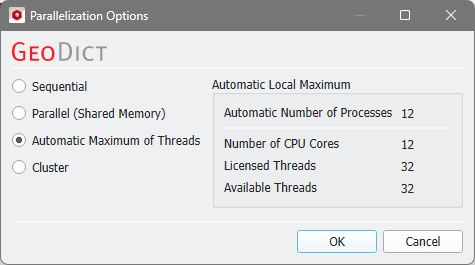
If Automatic Maximum of Threads is selected, the number of parallel processes is automatically selected for optimal speed, based on the CPU cores and licensed parallel processes.
The Automatic Local Maximum of processes is automatically selected, which is the minimum of Number of CPU Cores, Licensed Threads, and Available Threads.
|
Cluster
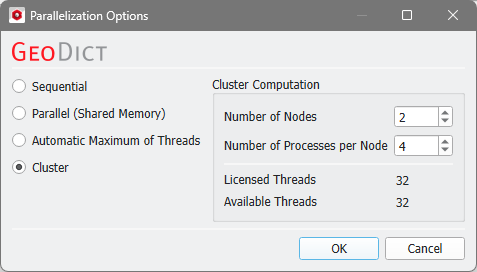
The Cluster parallelization requires that the solver supports the MPI Parallelization method. Moreover, the choice of Cluster is for users of Linux systems only.
For details on how to set up and run parallel computations, consult the High Performance Computing chapter.
|