Result Folder
The result folder has the same name as the result file and is saved in the current project folder. It can be opened directly from the Result Viewer by right-clicking on the result file name and selecting Open Result Folder.
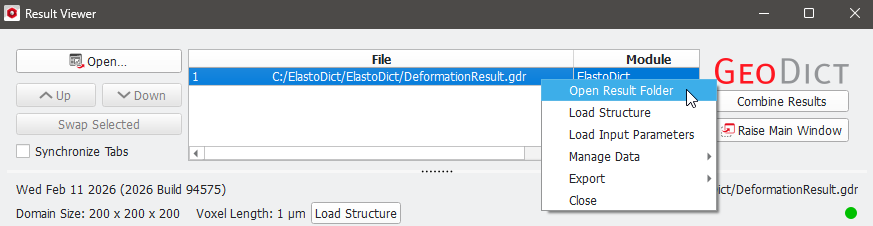
The result folder contains the following file formats:
- *.gdt: geometry data, e.g., the original structure and files with the deformed geometry (e.g., DeformedGeometry_1.gdt)
- *.frf: Free Report Form file (e.g., EffectiveMatrix_2.frf). It contains the results of each solution step. This information can also be found in the Results tab in the Results viewer.
- *.cff: coefficient file format (e.g., MaterialParameters.cff). This file contains the material properties of the materials in the structure as input data for the solver.
- *.das: e.g., StrainStressResult_0.das. These files contain the result fields and can be visualized in GeoDict. They can be loaded directly from the results viewer.
- *.log: e.g., FeelMath.log. A log file of the current solver run.
- *.pde: e.g., SolverParameters.pde. This file contains the parameters of the current simulations as input data for the FeelMath solver.
- *.fmr for FeelMathRestart.fmr: If a simulation is aborted, a restart file might be written which contains information to be used for a restart of the simulation. These files can be quite large, therefore they should only be kept if the simulation will be restarted later.
- *.gdr.bck[i]: e.g., DeformationResult.gdr.bck1: result file back-ups, which are generated if Back-up result file is checked in the Result Viewer à Results tab.
