Analytic Mesh Options
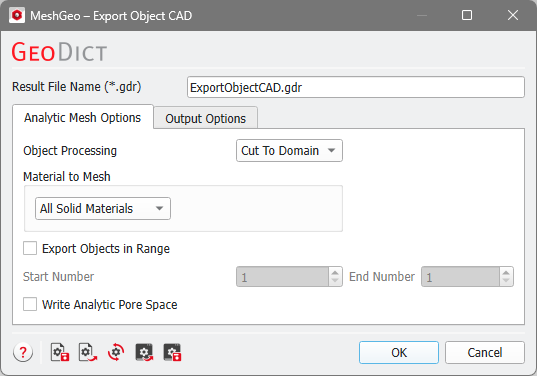
The Analytic Mesh Options allow to choose for the available GAD objects for the Object Processing mode, Material to Mesh, Export Objects in Range, as well as whether to Write Analytic Pore Space or not.
 Object Processing
If Object Processing is set to Unprocessed, the complete objects are exported, even if they lie not completely in the domain. With Cut to Domain, only the part of the object which is inside the domain is exported. The differences can be viewed when you use some other CAD tools.
|
Material to Mesh
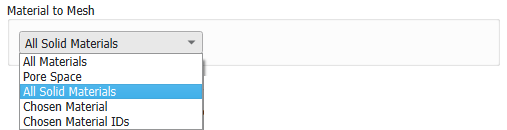
Select the Material IDs to be meshed with the options under Material to Mesh. With the first three options, either All Materials, the Pore Space, or All Solid Materials are meshed. All Solid Materials is the default, since this is the best choice for most use cases.
With Chosen Material, all Material IDs of the chosen material are meshed.
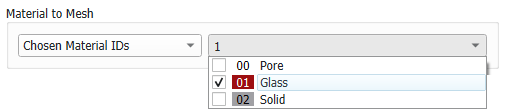
With Chosen Material IDs, individual Material IDs can be selected, which can have assigned different materials.
|
Export Objects in Range
Each object in a structure has an object ID. If only some of these objects should be meshed, a range of objects can be selected with Export Object in Range. Alternatively, the structure can be edited so that it only contains the desired objects (for example, with GadGeo-Edit GAD Objects).
|
Write Analytic Pore Space
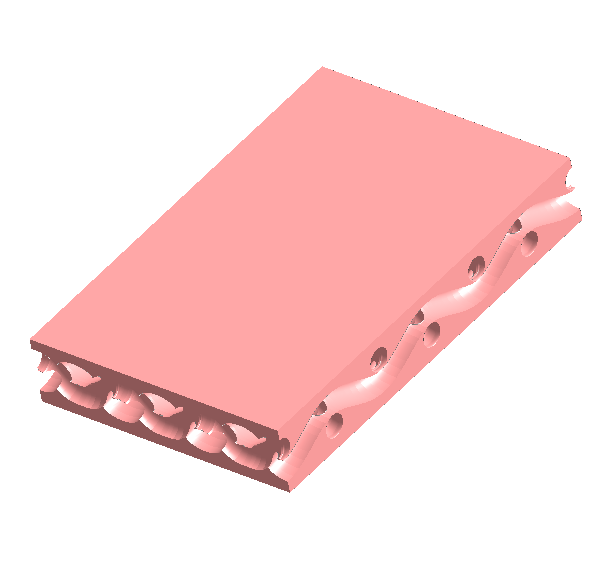
When Write Analytic Pore Space is checked, the pore space in the structure is written in the CAD file.
|