Results
After exporting the fibers, the result file (*.gdr) is automatically opened in the result viewer. The *.inp file for Abaqus is saved in the results folder with the same name as the result file. The results folder can be accessed by right-clicking on the name of the result file and selecting Open Result Folder on the results file name.
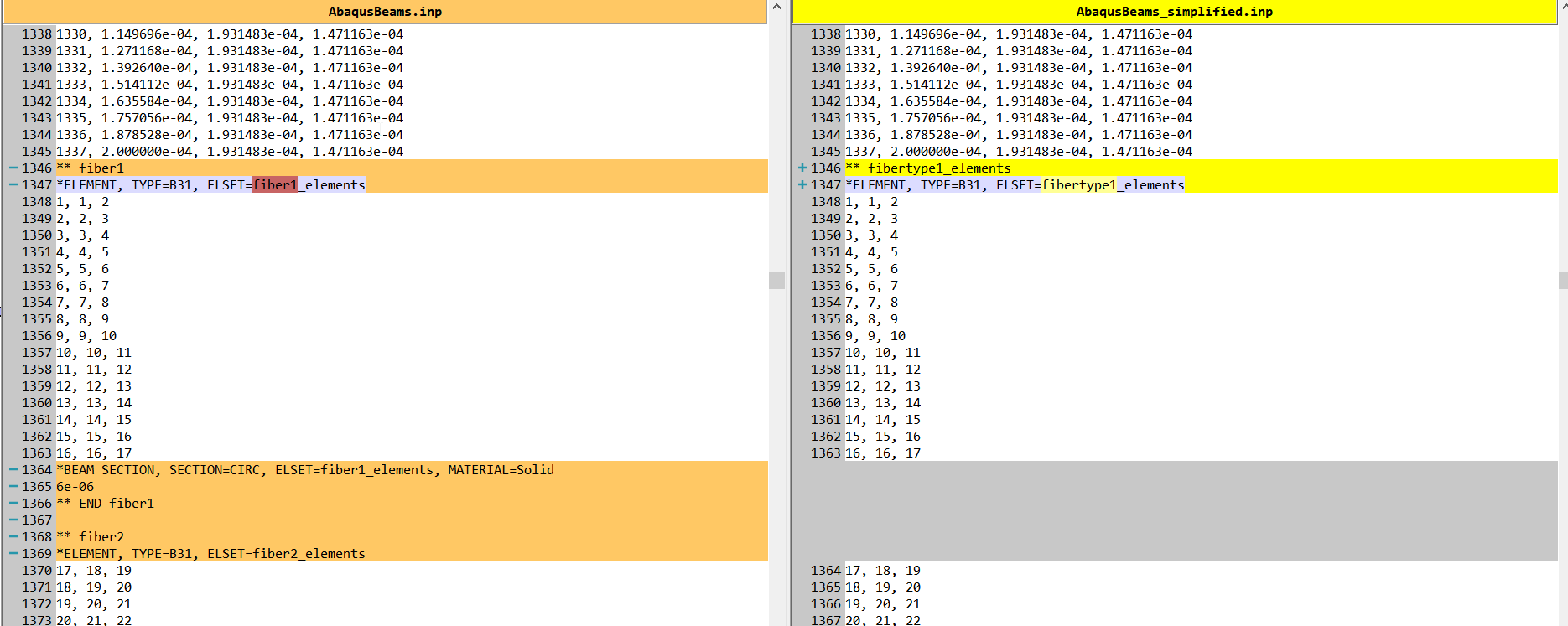
Both *.inp files, AbaqusBeams.inp and AbaqusBeams_simplified.inp, can be imported into Abaqus for further processing, as seen below in the example for a simple fiber structure.
The first .inp file has a cross section definition for each fiber. The simplified one shares the definition for all fibers that have the same cross section, which can make the import in Abaqus more robust. See below for the difference between the two .inp files.