Complete Filter
To model particulate flow through a complete filter, select Complete Filter from the drop-down menu.
The main difference to the previously described Filter Media and Filter Element options lies in the flow direction. Both Filter Media and Filter Element simulate a flow from the inflow plane located at Z- to the outflow plane located at Z+. With Complete Filter, arbitrary areas can be defined as inflow areas and as outflow areas.
In the example below, multiple inflow areas (ID 06) and one outflow area (ID 07) are all located on the Z- side of the cubic domain.
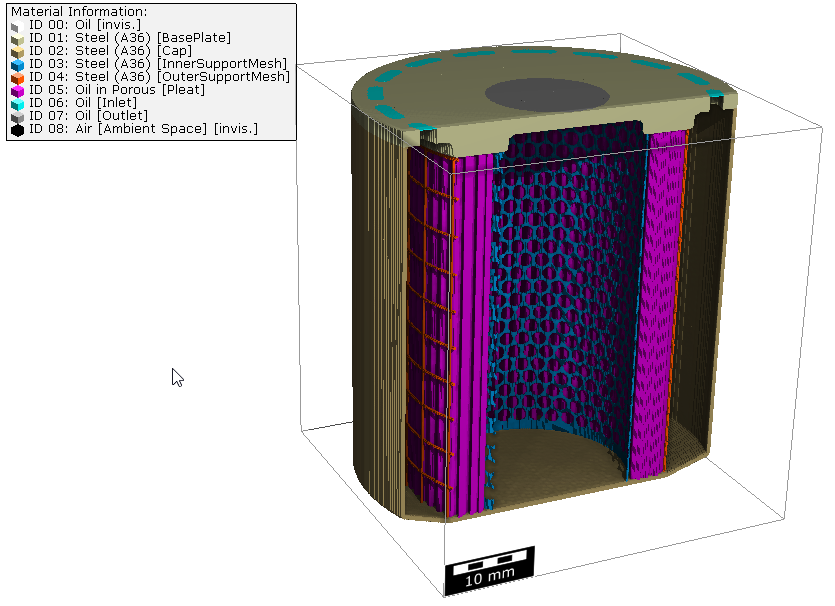
Commands available for the analysis of complete filters |
|---|
|
