Macro Recording
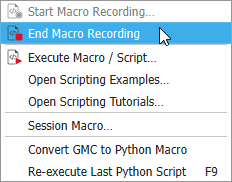
Record a macro while running the steps from the GUI. To begin recording a macro, select Macro → Start Macro Recording… in the menu bar.
The Start Macro Recording dialog opens and offers the following options:
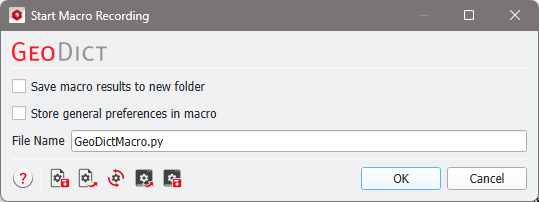
- Save macro results to new folder can be selected to include the command GeoDict:CreateProjectFolder. The name entered for the macro is given to the newly created project folder. All files created during the execution of the macro are saved in this folder.
- Store general preferences in macro can be selected to include the command GeoDict:Preferences in the recorded macro. In GeoDict the preferences can be edited by selecting Settings → Settings… from the menu bar.
- At the bottom, enter a File Name to save the macro in the project folder.
(*rec) appears to the right of Macro in the menu bar as soon as OK is clicked.

The recording of a macro is stopped by selecting Macro → End Macro Recording. This is grayed-out and not selectable unless a macro is being recorded.