|
Navigation: GeoDict 2025 - User Guide > Simulation & Prediction > BatteryDict > Battery > Charge Battery > Constituent Materials |
Scroll |
Electrochemistry
In the Electrochemistry subtab, materials are highlighted according to the electrode they belong to. All anode materials (active materials, binder and carbon black, and the current collector) are highlighted in pink, all cathode materials in purple.

If a material from the GeoDict Material Database is selected for a Material ID (e.g. for ID 02 in the example shown), all parameters are set according to the database values. The electrochemical role of the material (here: Anode Active Material) is shown and the electrochemical parameters can be displayed by clicking the View Material button for electrolyte and active materials. For all electrochemical roles of the materials, the database values for Solid Density, Fluid Density / Viscosity, and Electrical Conductivity are shown on the correspondent subtabs. For more details on the parameters displayed and selectable see Parameter Options Dialogs. If a material is set to manual, the electrochemical role of the material and the electrode it belongs to can be selected or changed, and the electrochemical parameters can be modified. The electrochemical roles Separator, Anode Current Collector, and Cathode Current Collector can each be selected only for one material in the structure. For each electrode up to four active materials and four binder materials / conductive additives can be defined. While the role in the battery cell is called Binder and Carbon Black in the BatteryDict GUI, any kind of conductive additive material can be used, not only binder and carbon black. In the following example, a half cell charging simulation was run. Thus, instead of an anode a lithium reservoir is considered. The cathode contains LCO, PDVF binder and carbon black, and carbon fibers. The LCO gets the role Active Material, the binder is Binder and Carbon Black and can be set as porous, and the carbon fibers must be set to Manual, also get the role Binder and Carbon Black and must be set as non-porous for only electron conduction. Then, the carbon fibers can be treated as an conductive additive. The simulation cannot be started if one of the materials has the role Undefined or if the electrode type is Undefined for an active material, binder & carbon black or a current collector. If one of the materials has no active role in the charging process, assign the electrochemical role Inclusion to it. No conduction is possible for a material defined as Inclusion it has no potential and does not contain lithium. If the box Lithium reservoir is checked for a Cathode Active Material or an Anode Active Material, the Edit Material button changes to an Edit Model button and allows to change the Maximum Exchange Current Density. The active material is in this case modelled as a lithium reservoir (necessary for half cell simulations). The solver will treat this material as a never-ending reservoir, not limiting the battery performance. Only one material can be modelled as lithium reservoir. Note that the lithium reservoir is modelled as a Manual material. Assigning Lithium from the material database will not work to model a lithium reservoir in BatteryDict. |
Parameter Options Dialogs
Clicking Edit Material opens the property dialog for active materials or electrolyte for editing the values, Edit Model allows to change the binder and carbon black or separator model. See below for more details.
Parameter dialogs for active materials, binder and carbon black, separator, and electrolyte are explained in the following. For an explanation of the meaning of the parameters, see the Simulation Parameters.
 Active Material parameter dialog
The active material parameter dialogs are available for active materials from the Electrochemistry subtab. For database materials, view the parameters by clicking View Material. For manual materials, edit the parameters by clicking Edit Material. For all active materials, the simulation parameters Maximum Lithium Concentration, Ionic Diffusivity, Maximum Exchange Current Density, and Open-Circuit Potential Function (OCV) Function U0 need to be defined. For your convenience, GeoDict 2025 computes the Butler-Volmer Rate Constant from the value entered for Maximum Exchange Current Density, to compare the material parametrization to BatteryDict simulation parameters used until GeoDict 2024. This way, you can verify, to use the same parameters for the simulation. The conversion between these two parameters Maximum Exchange Current Density and Butler-Volmer Rate Constant is explained here. If a material from the GeoDict Material Database is used for an active material, values are shown in the Active Material dialog. They are shown in gray and cannot be changed. In case Manual (Solid) is selected as active material, the simulation parameters can be set in the Active Material dialog.  Parameters of the material from the Material Database, that was last selected for the ID, are shown, and can be modified. Values defining the Open-Circuit Potential Function can be modified directly in the table. Additionally, the number of value points can be changed by deleting or inserting new rows. Another possibility is to import the Open-Circuit Potential Function from a text file with two columns. The first column contains the material state of charge in percent, and the second column shows the related potential. The chosen function is displayed as Potential for Lithiation and Delithiation over Material State of Charge in the plot on the right of the table. If the Open-Circuit Potential Function is different for lithiation and delithiation, check the box Open-Circuit Potential Has Hysteresis and define one OCV function for lithiation and a different one for delithiation. In case the active material of an electrode is defined as Lithium reservoir, with Edit Model, the Maximum Exchange Current Density can be defined. 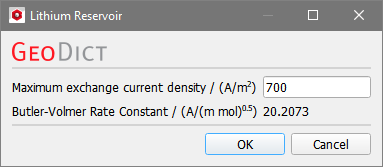 No other parameters need to be set for a lithium reservoir, since it will be considered as a never-ending reservoir of lithium, not limiting the battery performance. |
Electrolyte Material Parameters
The electrolyte parameter dialog is available for the fluid electrolyte material from the Electrochemistry subtab, or, if no electrolyte is defined in the structure other than through porous materials, the dialog is available at the top of the Constituent Materials tab. For database materials, view the parameters by clicking View Material. For manual materials, edit the parameters by clicking Edit Material. For the electrolyte, the Equilibrium Lithium Concentration, Ionic Diffusivity, and Transference Number need to be defined by clicking Edit Material for manual materials. If a material from the GeoDict Material Database is selected for the electrolyte, values are shown when clicking View Material, but cannot be changed. Set the electrolyte to Manual (Fluid) or Manual (Solid) and click Edit Material to modify the parameters.  The ionic conductivity of the electrolyte is the value for the electrical conductivity defined on the Electrical Conductivity tab. In the case of electrolyte materials, the electrical conductivity corresponds to the ionic conductivity, since they have no electronic conductivity. If no material ID with material defined as electrolyte exists, the electrolyte can be defined in the upper part of the Constituent Materials tab. In this case, no electrolyte exists in both electrodes, but only in the separator and in the binder, if it is modelled as porous material. In this case, the ionic conductivity is shown additionally in the Electrolyte Parameters dialog, and can be set here, like the other parameters, if Manual Electrolyte Material is selected. |
The electrolyte model parameter dialog is available for the electrolyte material from the Electrochemistry subtab, or, if no electrolyte is defined in the structure other than through porous materials, the dialog is available at the top of the Constituent Materials tab. Since GeoDict 2023, electrolyte parameters can be modeled depending on the lithium concentration. Click the Edit Model button for the electrolyte to open the Electrolyte Model Parameters dialog. Check the parameter(s) that should be modeled concentration dependent. 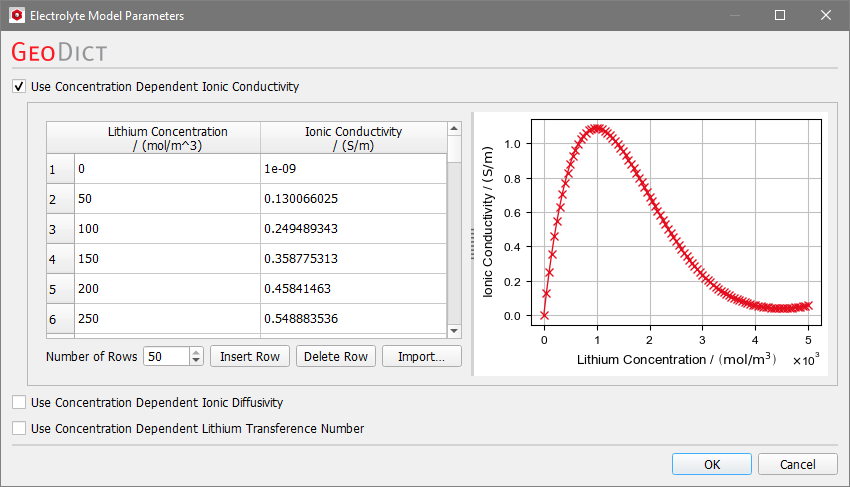 Insert the concentration dependent parameters either manually or Import them from a *.txt file. The txt-file must consist of two columns with the lithium concentration values on the left and the concentration dependent values on the right, separated by an empty space. For the default values such a txt file would look as follows: 
|

 .
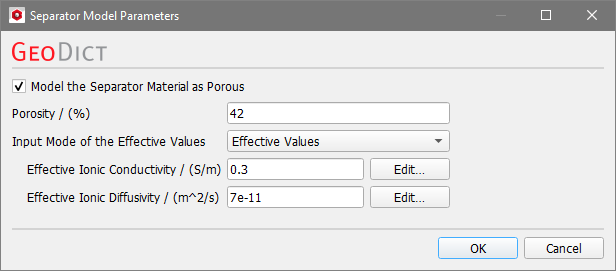
. The separator model parameter dialog is available for the separator material from the Electrochemistry subtab. The separator is a homogenized material, i.e. by default the porosity of the separator is not resolved in the microstructure. Edit the parameters by clicking Edit Model. Here, you can decide, if the separator should be treated like bulk electrolyte material or modeled as porous solid material. 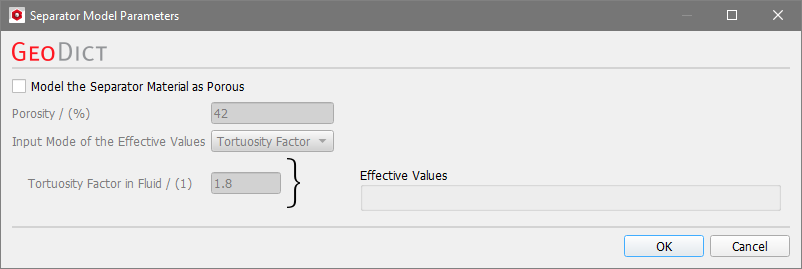 If you have a microstructure with solid voxels of the separator and resolved pores of the separator filled with electrolyte, you may want to consider the separator material as a solid. There are two ways to handle this case:
If the checkbox Model the Separator Material as Porous is unchecked, the separator gets the same properties as the bulk electrolyte and thus, the porosity of the separator is not considered. Since it is filled with electrolyte, this assumption is reasonable if the properties are not influenced by the microstructure of the separator. If separator properties are influenced by the separator microstructure, check Model the Separator Material as Porous and define the porosity of the separator. An Effective Ionic Conductivity and an Effective Ionic Diffusivity to account for the influence of the separator microstructure are necessary in this case. Set the Input Mode of the Effective Values to Tortuosity Factor to define the tortuosity factor in the fluid. The effective values are computed from the tortuosity factor, the porosity, and the electrolyte properties. The effective diffusivity Deff (and analogous the ionic conductivity) is calculated by the equation where is the porosity, the tortuosity factor in the fluid, and the diffusivity of the electrolyte (see also the Compute Tortuosity GeoApp). In case the electrolyte properties are not concentration dependent, effective values are displayed directly in the dialog. 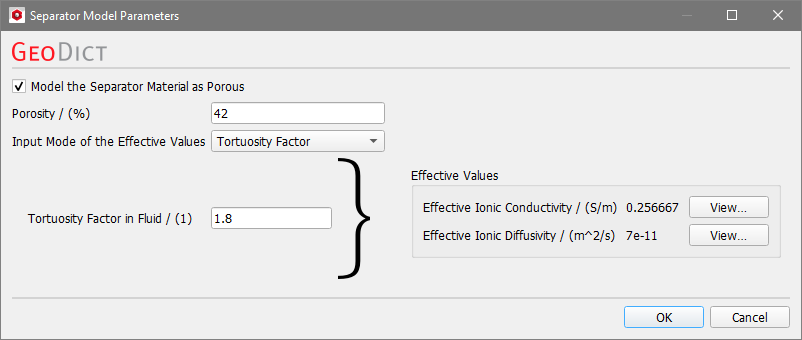 For concentration dependent electrolyte properties (here ionic conductivity), also the effective parameters of the separator depend on the lithium concentration. Click View to show the concentration dependence of the effective values. To define the effective values directly, choose Effective Values as Input Mode of the Effective Values. |
Binder & Carbon Black Parameter Dialog
The binder & carbon black parameter dialogs are available for binders and conductive additives defined as Binder and Carbon Black phase from the Electrochemistry subtab. Edit the parameters by clicking Edit Model. For a conductive additive or non-porous binder, leave the box Model Binder & Carbon Black Phase as Porous unchecked. In this case, only the electronic conductivity of the material is used for the simulation. This value is defined by the electrical conductivity on the Electrical Conductivity tab. For materials with no ionic conductivity, electrical and electronic conductivity are equivalent; this is the case for conductive additives such as carbon fibers. To model binder and carbon black with unresolved pores filled with electrolyte in the simulation, check Model Binder & Carbon Black Phase as Porous. In this case, define the Porosity of the binder and carbon black material. The Effective Electronic Conductivity, the Effective Ionic Conductivity and the Effective Ionic Diffusivity can be defined in two different ways by choosing the Input Mode of the Effective Values: Select Effective Values to define the properties directly. Or choose Tortuosity Factors to set tortuosity factor values for both solid and fluid. Effective values are computed and shown on the right of the dialog in case electrolyte values are not concentration dependent. They cannot be changed there. The effective electronic conductivity is calculated by the equation where is the porosity, the tortuosity factor in the solid, and the electronic conductivity of the (non-porous) Binder & Carbon Black material. The ionic conductivity and ionic diffusivity are calculated using the provided tortuosity factor in the fluid and the parameters from the electrolyte with the same equation as given above for the separator. For details, see also the Compute Tortuosity GeoApp. 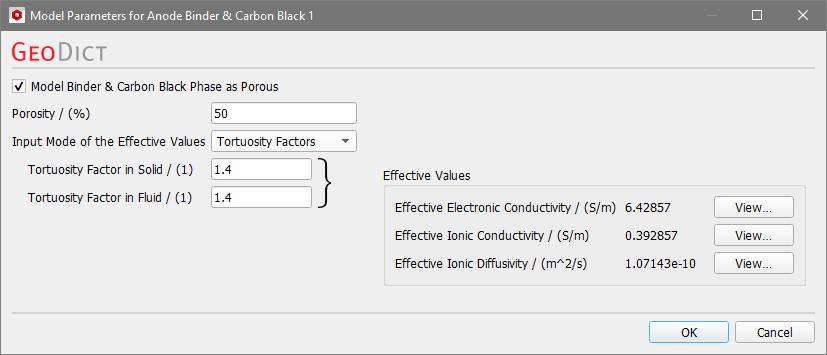 For concentration dependent electrolyte properties click View to show the concentration dependence of the effective values as shown for the separator parameters. |
©2025 created by Math2Market GmbH / Imprint / Privacy Policy
