Geometry
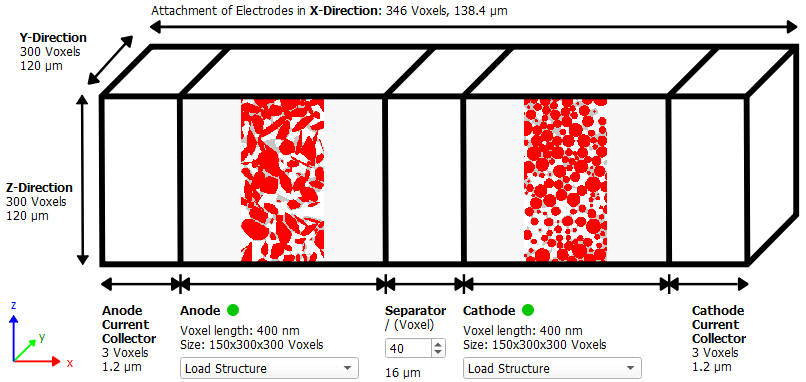
Define the geometry for the battery.
For both electrodes, either the current structure loaded in the GeoDict visualization area can be used, a previously saved structure can be loaded, or the electrode can be modeled as a lithium reservoir.
|
Know how! In the topic Charge Electrode, we show how to simulate the charging of a half cell starting from the microstructure of a single electrode with the Electrode – Charge Electrode command. Note, that since GeoDict 2022, it is not necessary to create the geometry of the whole half cell first. |

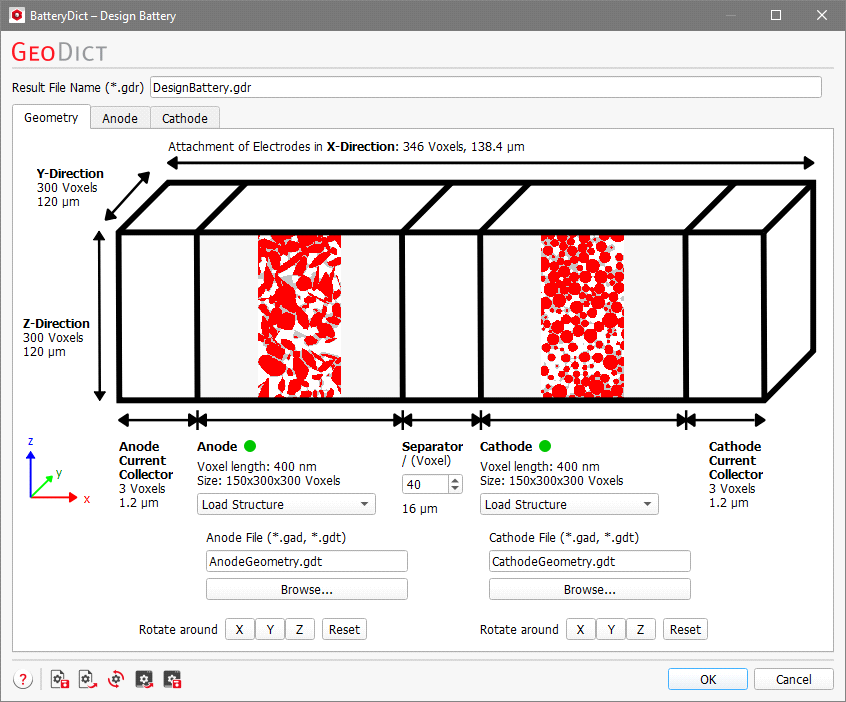
For the example battery shown here, anode and cathode structure are created with the Bimodal Anode and Bimodal Cathode GeoApps.
Choose Load Structure and use the Browse buttons to select an input file for anode and cathode, in *.gad or *.gdt GeoDict structure file formats. If the built-in default settings are used for the dialog, a default structure for anode and cathode from the GeoDict installation folder (BatteryDict/DesignBattery sub folder) is loaded.

After selecting electrode files, a 2D representation of the anode and of the cathode appears in the dialog.
A red dot is visible for the anode and cathode, if no files are loaded at all.

A yellow dot appears if a file is loaded but the dimensions or voxel length of the anode and the cathode do not match.

A green dot appears if the anode and cathode files are loaded successfully, the dimensions of the two match each other, and the voxel length is the same for both microstructures.

The Rotate around X, Y and Z buttons are used to rotate the structure 90° around the X, Y, or Z-axis. Click Reset to go back to the original orientation of anode and cathode in the battery structure.

The Size of anode and cathode are shown as the number of voxels in each direction below the diagram of the battery, and the Voxel Length is also displayed. After choosing anode and cathode, the total number of voxels and total length of the complete battery structure are displayed for each direction above and to the left of the diagram.
The number of voxels of the Separator can be defined in the dialog. The default is 40 voxels (≙ 10 µm for 250 nm voxel length). The length of anode and cathode current collector is fixed to be three voxels and cannot be changed.