Distribution
Define the parameter's distribution in the dialogs which open when clicking the corresponding Edit… buttons.
Under the Fiber tab, the fiber Diameter, the Length, the Side Length and the Profile Angle can be set to a Constant value, or to follow a Uniformly in interval distribution, a Gaussian distribution, a user-defined Probability Distribution, or a Log-Normal distribution.
Under the Bundle tab the same is true for the Bundle Diameter. The Number of Fibers can be set to a Constant value or to follow a Uniformly in interval distribution, a Gaussian distribution, or a user-defined Probability Distribution.
Under the Curl tab the Spiral Diameter, and the Spiral Shift, can be set to a Constant value, or to follow a Uniformly in interval distribution, a Gaussian distribution, a user-defined Probability Distribution, or a Log-Normal distribution.
The Sine Length and the Sine Amplitude can be set to a Constant value, or to follow a Uniformly in interval distribution, a Gaussian distribution, or a user-defined Probability Distribution.
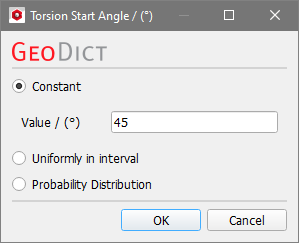
Under the Torsion tab the Torsion Start Angle value (for Curved Elliptical, Curved Cellulose and Curved Rectangular cross-sections) can be set to be Constant, to distribute Uniformly in interval, or to follow a Probability Distribution.