Positioning
Particle Initial Position
At first, select if the particles to simulate are created according to the given size distribution or if they should be loaded from a file. If particles are loaded from a file, number and size of particles are as given in the file.
Select Create Particles and determine the Particles Start Position, the Particle Positioning Weights and the Number of Particles per Type to define the initial set of particles.
Select Load Particles from File and Browse... for a .gpp file to load.
Particle Start Position
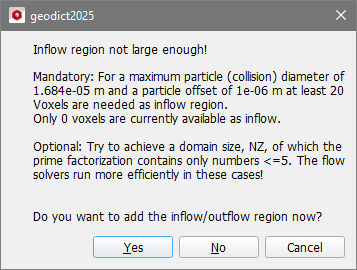
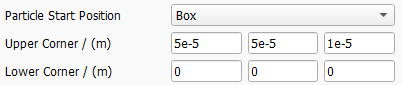
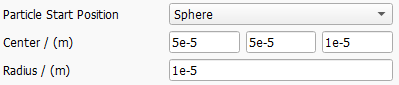
Select one of the following Particle Start Position types. The default start position is the Inflow Plane.
 Inflow Plane

Chosen Material ID
Particle Positioning Weights
Particle start positions are scattered randomly inside the defined Particle Start Position area or volume.
By default, those positions are uniformly distributed. Be aware that a spatially Uniform placement in the inlet will lead to an increased particle concentration in areas with low fluid velocity, e.g. in proximity to a surface or a walls.
If Velocity is selected, the starting probability is based on the local fluid velocity. Selecting this option will lead to a uniform particle concentration in the inflow.
If Distance is selected, the starting probabiliy is based on the distance from the next solid object. This will lead to higher particle numbers in the core flow, while there will be less particles starting next to the surface.
With GivenField, it is possible to load an arbitrary 3D field of scalar values to define the starting probability. For example, it is possible to load the flow field of a previous computation and select the velocity or one of its components.

Number of Particles per Type
The Number of Particles per Type defines how many particles are simulated for each given particle type/particle size. Larger numbers lead to more accurate results, but also to longer runtimes of the simulation. For each particle size, FilterDict tracks the paths of this number of particles and calculates the fractional filter efficiencies from the results.
To determine the overall efficiency from the fractional efficiencies, the percentages entered in the particle size distribution tab are taken into account.
Random Seed
Particles to be filtered are placed randomly in the area according to the selected Particle Start Position. The parameter Random Seed controls the underlying random number generator. The same random seed produces identical results, whereas results with different random seeds are similar but not identical.
If the results generated by different random seeds are considerably different, increase the Number of Particles per Type.
Reflect Particles at Inflow Plane
If diffusion through Brownian motion is simulated, some particles might diffuse against the flow direction, reach the inflow region and exit the domain. Check Reflect particles at inflow plane to avoid the exit of such particles.
Particle End Position
Particles reaching the outflow plane are always considered as unfiltered.
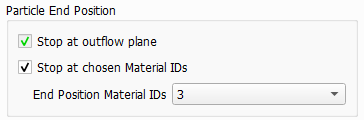
Additionally, and similar to the definition of the particle start position, an additional area can be marked and particles which arrive in those area will also stop moving and are counted as unfiltered.
