Please enable JavaScript to view this site.

GeoDict User Guide 2025

Options

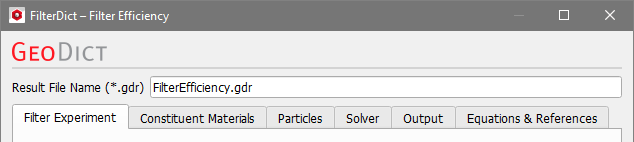
Select Filter Efficiency from the pull-down menu and click the Option’s Edit… button to open a dialog to enter or edit the simulation options. Choose a Result File Name for the result file (*.gdr) fitting to your current project.
FilterDict-MediaEfficiency-Options-Tabs

The filter efficiency simulation parameters are organized under the tabs: Filter Experiment, Constituent Materials, Particles, Solver, and Output. The Equations & References tab gives a summary of the used equations and symbols which are explained in more detail in this user guide.

Tabs of the Filter Efficiency dialog

  • Filter Experiment
    Set the mean flow velocity and the boundary conditions.
  • Constituent Materials
    Define fluid type and temperature. Set material IDs and parameters for porous layers.
  • Particles
    Select particle sizes and their start positions. Set all parameters that govern the particle motion and define collision and adhesion models.
  • Solver
    Select the flow solver, set the stopping criteria and define the computational resources.
  • Output
    Choose which data will be stored for visualization.

©2025 created by Math2Market GmbH / Imprint / Privacy Policy