Grid Options
General options for the grid
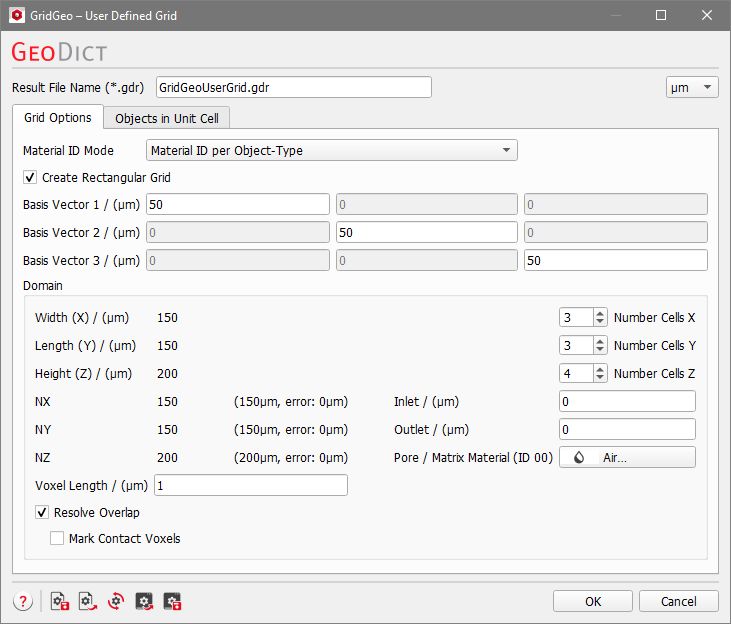
Material ID Mode
The Material ID Mode pull-down menu at the top allows to select between two modes.

- Material ID per Object-Type means that each object defined in the Objects in Unit Cell tab obtains a different Material ID.
- Material ID per Material means that all objects with the same material (defined in the Objects in Unit Cell tab) receive the same Material ID.
Grid Type
The properties of the grid’s unit cell can be completely user-defined. First, decide if you want to Create a Rectangular Grid, which means the Basis Vectors of the unit cell are orthogonal to each other. Alternatively, if Create Rectangular Grid is unchecked, the Basis Vectors are defined freely in space. Depending on this choice, the available options in the Domain panel differ.
Find detailed explanations for both grid types here:
To explain the capabilities of the User Defined Grid, a simple grid with only sphere object is chosen. The basis vectors define a cubic unit cell with a side length of 100 µm, which contains a sphere with its center in the origin and a diameter of 100 µm. This generates a Simple Cubic grid. Then, various parameters are varied and their effects can be examined.
