Connected Components
The solid fraction of a porous medium is not necessarily a homogeneous medium but can be composed of individual components that (all together) form the solid. Neighborhood relations between voxels inside a component differ from those among different components and between component and pore. The Connected Components command analyzes the voxel-to-voxel relations of the solid material and computes the components that build up the solid fraction. A connected component consists of all voxels that are in contact with each other, and which belong to the same phase, the same material, or the same Material ID. Results of the method include the number of defined components (material and background), mean number of components per 2D slice in each spatial direction, and their size with respect to volume visualized as a histogram.
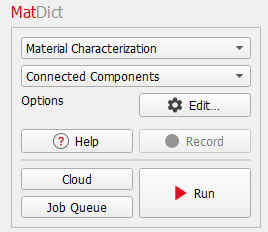
The Connected Components dialog opens when clicking the Edit… button and includes the General Options and the Post-Processing tabs.
At the top of the dialog, enter the Result File Name. The result file is saved in the chosen project folder (File → Choose Project Folder in the menu bar).
General Options
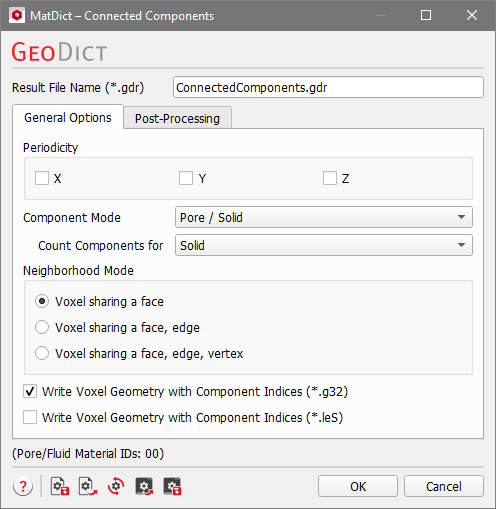
In the Periodicity panel, periodic boundaries can be set in the three spatial directions. If a box is checked, every voxel located on the corresponding boundary of the domain is connected to a voxel on the opposite side of the domain. Thus, components can be connected across the domain boundary. If a box is not checked, no connections exist across the domain boundary.
If the Component Mode is set to Material ID, all voxels belonging to one component must have the same Material ID. If it is set to Material, all voxels belonging to one component must belong to the same material. If it is set to Pore / Solid, the distinction happens only between solid or pore voxels. Thus, in the Pore / Solid mode, voxels with different Material IDs may form one component. For your convenience, all Material IDs which denote pore space are shown at the bottom of the dialog.
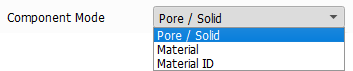
While the Component Mode defines which parts may belong to one component, with Count Components for set what is counted and reported. Always available are Pore, Solid, and Pore and Solid. The additional options depend on the selected Component Mode, so it is possible to count components only for a Chosen Material or for Chosen Material IDs.
The meaning of connected is defined in the Neighborhood Mode panel. Voxels can be connected through faces, edges, and corners (vertices). The Neighborhood Modes are explained here in detail.
When checking Write Voxel Geometry with Component Indices (*.g32), the connected components are saved as objects in a .g32 file. This file can be opened in GeoDict, GeoPy or GeoLab.
When checking Write Voxel Geometry with Component Indices (*.leS), the object indices are stored in an *.leS ASCII file. This file is human readable, but will be considerably larger and slower to read than the *.g32 file. Therefore, it is recommended to use the *.g32 format.
Post-Processing
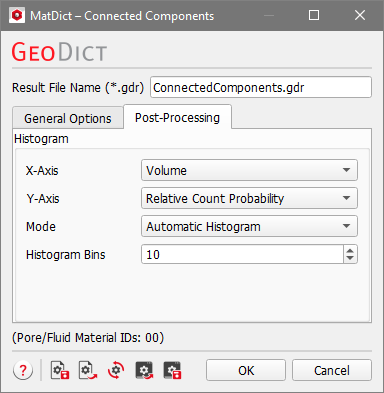
Under the Post-Processing tab, the settings used to create the histogram of the analyzed components are defined. It is possible to modify those settings after the computation has been run in the result viewer. The explanation of the input parameters is therefore given in the Results section.
Topics of this section |
|---|
|
