Solver
Under the Solver tab all parameters for the used solvers can be defined. Which subtabs are active depends on the settings defined under the Experiment tab.
The Flow Solver subtab is active when Simulate Advection is selected in the Experiment tab. For the Tracer-based approach this setting is always active but for the Field-based approach it can be deactivated.
Only one of the Field Solver and Tracer Solver subtabs can be active at a time. Which subtab is active depends on the selected Solver Framework in the Experiment tab.
Parallelization
Control how many threads are used for the computation. Parallelization is possible if your license and hardware allow it.
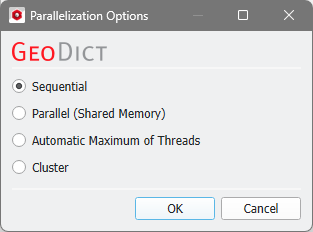
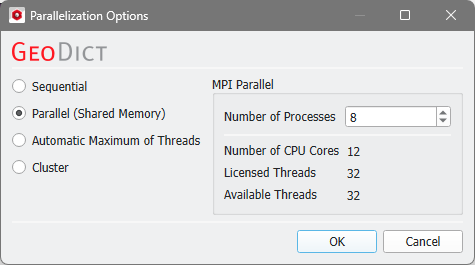
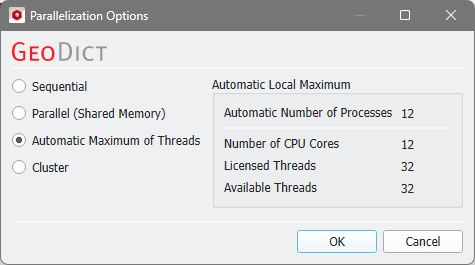
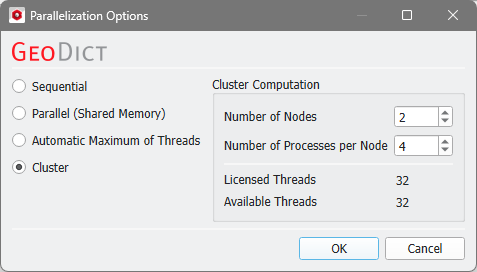
The Parallelization Options dialog opens when clicking the Edit button and you can choose between Sequential, Parallel (Shared Memory), Automatic Maximum of Threads, or Cluster (only available if EJ, SimpleFFT, or FeelMath were selected as solver).

The parallelization of the solvers is done with two technical methods: MPI Parallelization or Thread parallelization. The following table shows the support of both parallelization methods:
Solver |
Parallelization method |
|
|---|---|---|
MPI Parallel |
Thread Parallel |
|
EJ |
✔ |
✖ |
SimpleFFT |
✔ |
✖ |
LIR |
✖ |
✔ |
FeelMath |
✔ |
✔ |
BEST |
✖ |
✔ |
Depending on the used parallelization method, the Number of Processes (MPI parallel) or the Number of Threads (thread parallel) can be entered.

Individual Solver Settings |
|---|
|
