Open Scripting Examples
Clicking Open Scripting Examples in the macro menu or directly unfolding Examples in the Macro Execution Control gives access to several GeoPy scripts shipped with GeoDict. These scripts are more advanced than the ones to found in the Macro & Scripting Tutorials folder. These Python scripts also use other GeoDict modules.
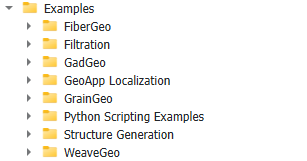
When selecting one of the available macros, the description area displays a report about the macro. In the macro, this report content can be found between the triple apostrophes after Description = ''' ''', and can be edited at any time after opening the macro with a text editor.
Click Edit to inspect the macro content in a text editor.
