Options
Click Edit to open the options dialog.
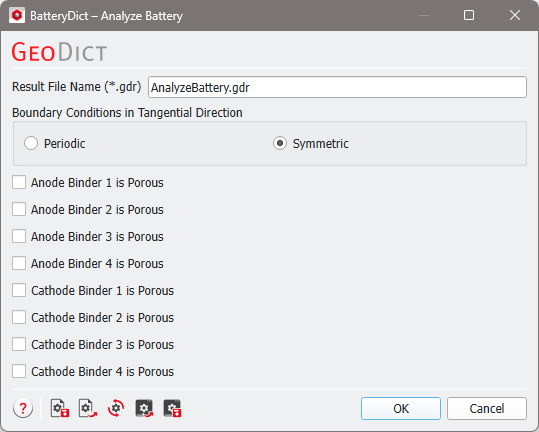
First, define the Result File Name (*.gdr) and the Tangential Boundary Conditions.
Periodic or Symmetric boundary conditions can be selected. For periodic boundary conditions, the structure is assumed to repeat periodically in y- and z-direction and for symmetric boundary conditions, the structure is mirrored in y- and z-direction.
Boundary conditions are applied while identifying connected and unconnected material, since this depends on the continuation of the material in y- and z-direction. For a charging simulation, it can be chosen independent of the value selected here. Connected and unconnected material is identified again during charging simulation dependent on the boundary conditions selected then.
Make sure the Anode Binder # is Porous and/or Cathode Binder # is Porous checkboxes are selected if the binder (or other conductive additive) is a porous material whose micropores (not resolved on the voxel scale) contain electrolyte.
Click Analyze in the BatteryDict section to start the analysis. When it is finished, the Result Viewer opens. The results are explained in the Results topic.
