Options
To design a battery using BatteryDict, choose Battery and Design Battery from the pull-down menus and click Edit to choose the options.
The Design Battery dialog opens, containing three tabs where to define the morphology of the battery (Geometry tab) and the constituent materials for Anode and Cathode.
After all parameters are set, click OK in the Design Battery dialog, to keep the parameters selected in memory, or Cancel to discard the parameters.
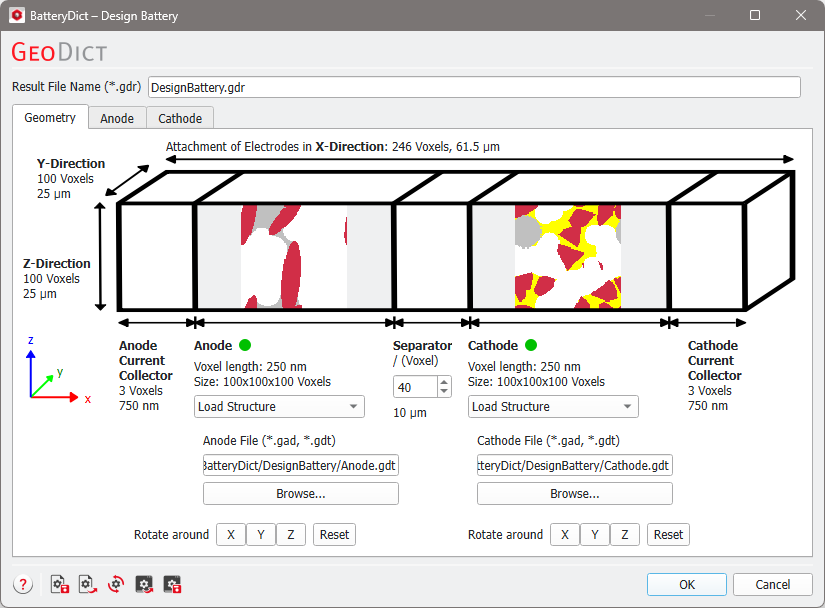
Click Design in the BatteryDict section of the GUI to create the battery.
If the battery is created successfully, a result file with the name chosen for Result File Name (*.gdr) is created in the selected project folder, as well as a structure file (*.gdt) in the subfolder with the same name.
Tabs of Design Battery: |
|---|
|
