Output
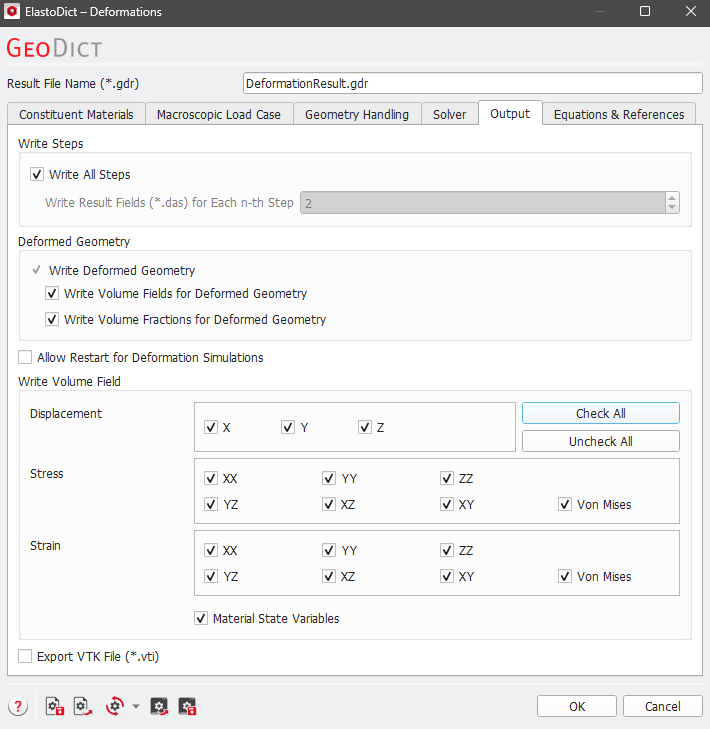
The options available in the Output tab control which information is saved to the hard disk during the computation. Choosing only the necessary variables might help to save computation time.
 Write All Steps
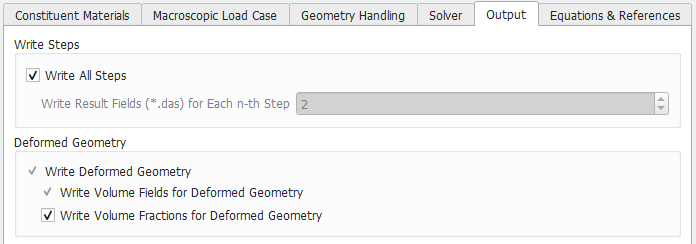
When Write all Steps is chosen, the results fields selected under Write Volume Field are written after each computation step. Otherwise, the number of steps after which the results fields are saved can be selected. When computing with many steps, disabling Write all Steps saves considerable computation time.
|
Deformed Geometry
When Write Deformed Geometry is chosen, a geometry with the current displacements is resampled and saved after each step. Deformed geometries are written at each step, even if Write all Steps is disabled. Writing the deformed geometries is mainly interesting for visualization purposes and to check possible problems in the simulation setup when Calculate on Deformed Geometry is chosen.
With Write Volume Fields on Deformed Geometry, also the result fields are resampled with the current displacements so that they match the deformed geometries.
With Write Volume Fractions for Deformed Geometry, the volume fractions for each material ID in each voxel after the deformation are written to the *.das files. This information is necessary for the computation of the deformed geometries (see Resampling for further explanations). In general, it is not necessary to select this option.
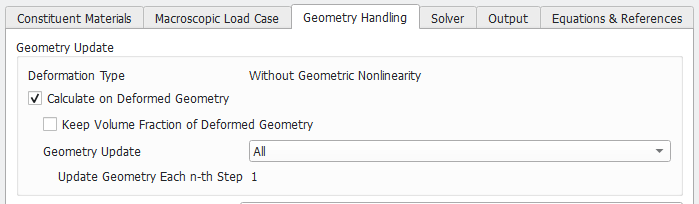
Depending on the options chosen in the Geometry Handling tab, some Deformed Geometry options might be unchangeable. For example, if Calculate on Deformed Geometry and Enable Object Tracking (*.g32) are selected, Write Volume Fields for Deformed Geometry is selected by default and cannot be deselected.
|
Allow Restart for Deformation Simulations
If you want to be able to restart a simulation after an interruption, the complete stress and strain information must be saved for each step. With the option Allow Restart for Deformation Simulations, the necessary volume fields are automatically checked under Write Volume Field below and therefore saved.
|
Write Volume Field
Checking or un-checking the boxes for Displacement, Stress, and Strain determines whether these results outputs are available for visualization and post-processing after the run of the ElastoDict-Deformations. Additionally, it is possible to save the deformed geometry and to save the solution fields (for stress and strain) for the deformed geometry. Depending on the structures size, the result files can become large (up to several GB), so it is recommended to deselect all options which are not needed for the current task.
For nonlinear materials, additional state variables might be defined. For example, for plastic deformation, these are the elastic and plastic strains. For materials with damage behavior, this is the damage variable. When Material State Variables is checked, these variables are saved as volume fields.
|
Export VTK File