The Bimodal Anode app generates a battery electrode structure, which consists of up to two types of solid spherical, elliptical, or polyhedron particles, solid carbon black and binder domain (CBD) and fluid electrolyte – the constituent materials can be selected from the material database. The recipe of the electrode considers the grain size distribution of the particles, the ratio between particle types, binder mass percentage and target porosity or target areal loading (mAh/cm²) of the electrode.

|
Modules needed to run this GeoApp:
GrainGeo
|

|
Note! Also have a look at our website for more information.
|
Video Tutorial: Creating a Digital Bimodal Cathode and Anode for GeoDict 2023
Since GeoDict 2026, the two GeoApps Bimodal Anode and Bimodal Cathode were merged into one app: Bimodal Electrode. Other than that, the parameters are the same in GeoDict 2023.
Parameters
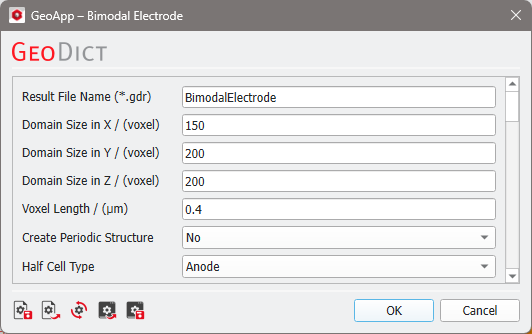
Clicking Edit opens the Bimodal Electrode Parameters dialog. Clicking Run creates the electrode.
Enter a Result File Name for the bimodal electrode.
The electrode parameters are organized into groups described in the following. The Particle Type parameters depend on the selected Half Cell Type. For anodes ellipsoidal or polyhedral particle shapes are used, while the cathode always consists of spherical particles.
 Domain
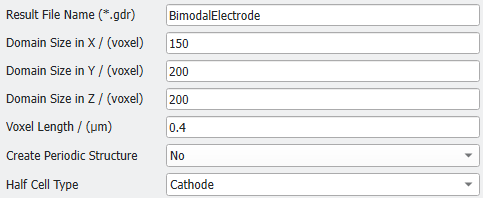
Set the Domain Size in voxels for the X-, Y-, and Z-direction and enter a Voxel Length.
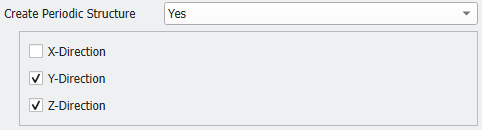
The structures periodicity can be adjusted in each of the three directions by choosing Yes for Create Periodic Structure.
For Half Cell Type, select to create a Cathode or an Anode. The two types differ in the particle shape and the default materials.
|
Particle Type 1
Select the Material for the active material for particle type 1.
Define the diameter distribution with D-values.
For anodes D-values are specified separately for shortest, intermediate, and longest axis of particles: D10, D50, D90, and fitted to Log-Normal distribution.
For cathodes the D-values D10, D50, D90, Lower Bound, and Upper Bound describe the spheres’ diameters, and are fitted to Log-Normal distribution.
The Lower and Upper Bounds are also fitted to Log-Normal distribution but assigned once for all diameters within one particle type. They can be set as D1- and D99-values of corresponding measurements.
|
Add Particle Type 2
With Add Particle Type 2, a second active material can be added to the structure.
If No is used (default), an electrode structure with one active material type is created.
If Yes is selected, the macro enables creating a bimodal structure, where Ratio of Particle Type 2 is defined in m% (mass percentage), and grain size distribution can be predefined using their own D-values.
|
Structure
For anodes, all particles in the structure can be generated either with Ellipsoids or with Polyhedrons based on ellipsoids.
The Orientation of particles is specified by the main diagonal tensor orientation in the global coordinate system XYZ. Corresponding values of Orientation Tensor XX, YY or ZZ are set as the probabilities for the orientations in the three axial directions. The sum of all three tensor components should always be 1. For more information on orientation tensors, refer to GrainGeo - Orientation.
For cathodes, the particles always have spherical shape and thus, no particle shape or orientation can be selected.
Additionally for both electrode types, Select Materials for Electrolyte and CBD and define the CBD Mass Percentage in m%.
|
Criteria to Match
Choose the Criterion to Match. The default criterion Porosity allows to define the desired porosity of the electrode.
As an alternative, Loading allows to define the desired areal loading of the electrode in mAh/cm2.
In both cases, structure generation is repeated within Maximum Number of Tries until the desired porosity or areal loading is reached within a given Tolerance in %. If the target porosity or loading was not reached, GeoDict saves and displays the result of the last generation try.
Enter Value of Random Seed: By default, the seed for generating the structure will be randomly chosen. If you choose Yes, you can enter a random seed manually. Entering the same Random Seed will result in an identical structure.
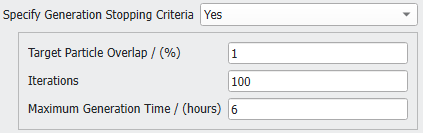
The parameters which Specify Generation Stopping Criteria for the particles creation are Target Particle Overlap, Iterations, and Maximum Generation Time. They are active by default and can be changed if needed.
|
Results
In the figure below, on the left, a monomodal battery anode is shown and on the right, a bimodal battery anode is shown. Both are generated with the respective default settings. Of course, the half cell type must be set to anode and for the bimodal anode, the second particle type was enabled. For comparability, the random seed was enabled and set to 21.
In the figure below, on the left, a monomodal battery cathode is shown and on the right, a bimodal battery cathode is shown. Both are generated with the respective default settings. Of course, the half cell type must be set to cathode and for the bimodal cathode, the second particle type was enabled. For comparability, the random seed was enabled and set to 20.
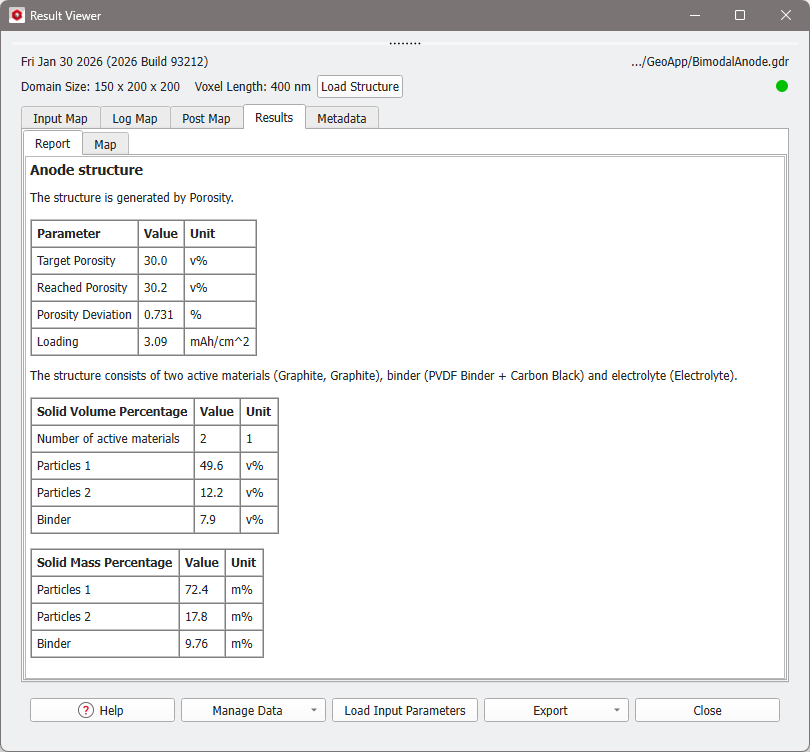
The result file is opened in the Result Viewer when the generation is finished, and the Report tab provides information about the structure generation.