Contact Correction
The Contact Correction GeoApp adjusts grain-to-grain contacts to accurately reflect mechanical behavior by reducing stiffness through one of two methods. Both methods rely on the GrainFind's watershed-based grain segmentation, which accurately identifies grains and their contact zones.

|
Modules needed to run this GeoApp:
GrainFind, MatDict
|
Click Edit to open the Contact Correction parameter dialog.
Select a Result File Name fitting to the current project.
Define the Reconnect Fragmented Grains - Interface Threshold value. This value determines which touching grain fragments that are merged. value of 0% merges all touching grains, while a value of 100% prevents any merging. Refer to the GrainFind user guide for more information on this parameter.
Then, select the Contact Correction Method. Two methods are available here:
 Area-Dependent
The Area-Dependent Stiffness Reduction is described in detail in Halisch et al., 2025. This method maintains the original grain contact segmentation while modifying the mechanical properties to achieve realistic behavior by reducing the effective stiffness based on the relative size of the contact areas between grains.
When selecting this method, you must to define the Reduce Contact Properties by value. This percentage determines the reduction factor for the density, Young's modulus, and Poisson's ratio.
|
Explicit
Using the Explicit Contact Area Reduction method (Saxena et al., 2019) involves physically eroding contact voxels to shrink contact zones. This method alters the porosity of the original structure, producing simulations that more closely resemble experimental conditions, even when working with resolution-limited imaging data.
When selecting this method, you must define the Eroded Voxel Number. This parameter controls the size of the voxel layer by which the contact zones between grains and pore space are eroded. Refer to the ProcessGeo user guide for more information on eroding voxels.
|
After defining all parameters click OK to close the dialog, go back to the GeoApp section, and click Run.
Results
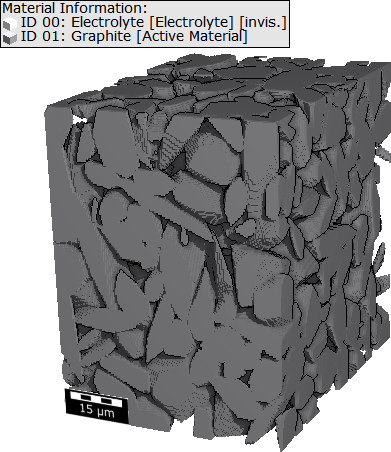
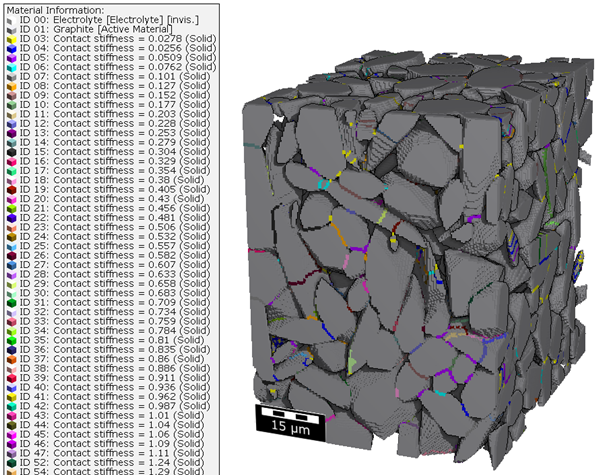
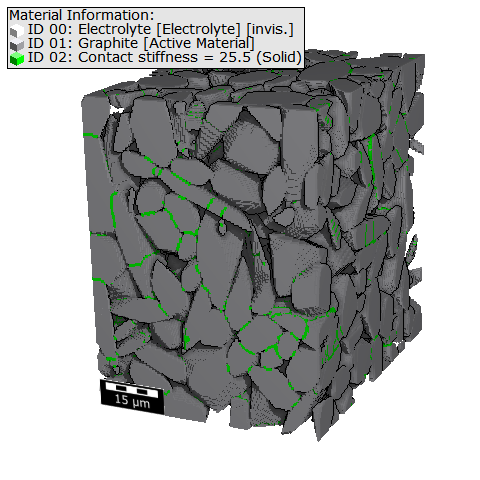
Below the results from both methods are shown for an exemplary anode structure using the default settings.
Area-Dependent
Once the Contact Correction app has finished, the result file loads in the Result Viewer. The result file lists the input parameters, and under the Data Visualization tab, you can load the contact-corrected structure. This structure is also automatically loaded into the visualization area at the end of the run.
In the contact-corrected structure, each contact area has its own material ID and individual mechanical properties that are based on its relative size. You can view the material properties in the material name or by viewing the Constituent Materials.
In the results folder, you will find additional results, such as Identify Grains, as well as the original and contact-corrected structures. Additionally, structures containing only contact areas or simple, weak contacts are available for loading.
|
Explicit
Once the Contact Correction app has finished, the result file loads in the Result Viewer. The result file lists the input parameters, and under the Data Visualization tab, you can load the contact-corrected structure. This structure is also automatically loaded into the visualization area at the end of the run. Additionally, the identified grain contacts are loaded as a volume field.
In the contact-corrected structure all identified and then eroded contact areas are assigned to a new material ID. This material has the same mechanical properties as the original material, but the area is reduced by the set number of voxels.
In the result folder, you find additional results (e.g., Identify Grains, or Percolation Path) as well as the original and contact-corrected structures.
|