Distribute Material IDs
The Distribute Material IDs GeoApp enables the assignment of multiple material IDs to the solid phase of the currently loaded geometry.
A common use of this tool is simulating electrospun fibers, where different surface charges are assigned to material IDs to model heterogeneous electrostatic behavior. When electrostatic effects are enabled, the Material Charge can be set as Individual per material type, which requires a heterogeneous material distribution.
|
Modules needed to run this GeoApp: FiberGeo or GrainGeo |

Select a Result File Name fitting to the current project.
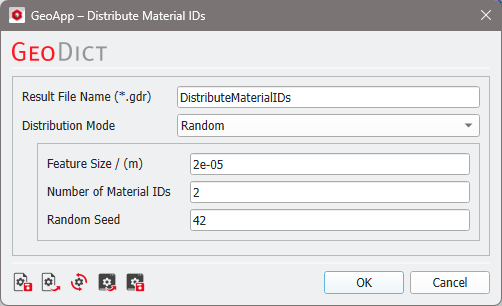
Depending on the selected Distribution Mode, the GeoApp assigns material ID numbers to the 3D structure. It does not assign materials to those numbers. For example, if you select 20 as the Number of Material IDs in the app, you may have to assign a material and all the corresponding parameters to each of the 20 IDs.
|
Important! Be aware that the app changes the material IDs of all solid materials. |

Results
Once the computation is finished, a result file will be generated stating that the material IDs were assigned using the selected Distribution Mode. The generated structure is automatically loaded into GeoDict. You can load the Input Structure from the result viewer via the Data Visualization tab. The corresponding result folder contains the generated and input structures, as well as the Gaussian random field when using the Random distribution mode.
View results for the different distribution modes in the example below:
