Sandstone Quality Control
Segmented 3D digital images require a quality check. Therefore, we implemented the Sandstone Quality Control app to offer a user-friendly tool to perform a Quality Control specifically for segmented digital sandstone rocks based on methods and findings published by Saxena et al. (2017) and Saxena et al. (2018). These recommendations aim at the determination of the suitability of the sample under investigation for single-phase flow computations.

|
Modules needed to run this GeoApp (depending on the selected options):
PoroDict, GrainFind, FlowDict
|
Parts of the following quality control recommendations may also be considered for other rock types and further samples.
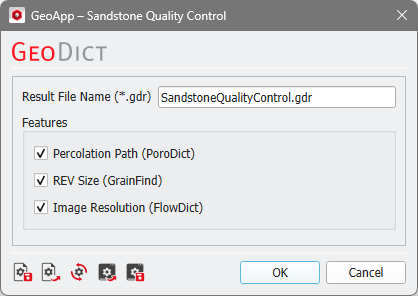
After loading a 3D structure, click Edit open the Sandstone Quality Control Parameters dialog.
An online workshop for this feature (amongst others) is available here.
After choosing a project name and which properties should be computed click OK to close the dialog. Go back to GeoApp GUI and click Run.
The usage of all the three available features is recommended (as long as the required modules are available):
 Percolation Path
The Percolation Path feature investigates the pore throat resolution, which affects the computed permeability. Saxena et al. (2018) recommend a resolution of 10 voxels to sufficiently resolve pore throats for single-phase flow computations that predict the absolute permeability. For the usage of our flow solvers, we recommend a resolution of at least 4 voxels. Below 4 voxels, the runtime might increase significantly, and the permeability prediction may become inaccurate.
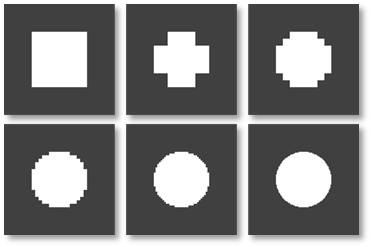
In the following figure find a schematic representation of tubes resolved at varying voxel diameter highlighting the significant effect of the pore throat resolution on the permeability that may be predicted by numerical solvers.
|
REV Size
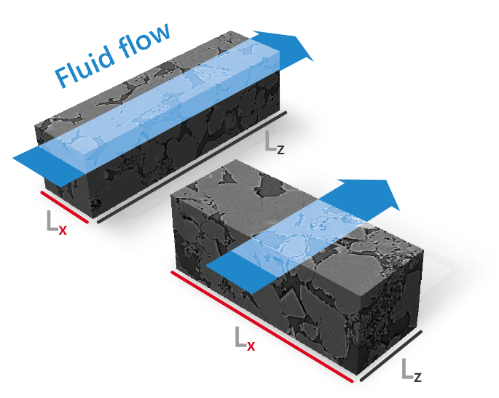
The REV Size considers the Representative Elementary Volume that is required to compute an absolute permeability that is representative for the rock formation under investigation. In general, an REV may be defined as a rock volume large enough that properties under investigation are insensitive to changes in rock volume and in boundary conditions of numerical tools. Saxena et al. (2018) recommend considering the ratio of the (smallest) structure length to the effective grain diameter:
|
Image Resolution
The Image Resolution feature applies sample porosity and roughly approximated permeability (with a short computational runtime) to check if the acquired image resolution is suitable for single-phase flow computations. The applied workflow is based on findings published by Saxena et al. (2018) upon consideration of a large sandstone database.
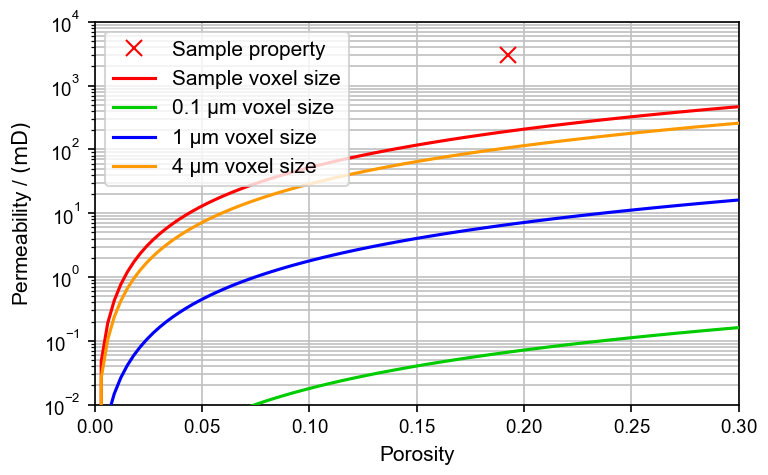
The following figure shows the result for a workshop geometry (dimensions: 2563). The red curve shows the minimum permeability computable for this sample. The red cross shows a computed permeability, which is far above the numerical minimum (red curve) and thus the image resolution is fine, from this perspective.
The curves depict the permeability that can be computed by Stokes solvers – at minimum – based on segmented porosity, image voxel size, and numerics. The permeability of the sample (red cross) should be above the numerical minimum (red curve). Otherwise, we recommend acquiring an image of higher resolution.
If porosity and permeability are known a priori, we recommend using the additional curves as a suggestion for a suitable image resolution.
|
Results
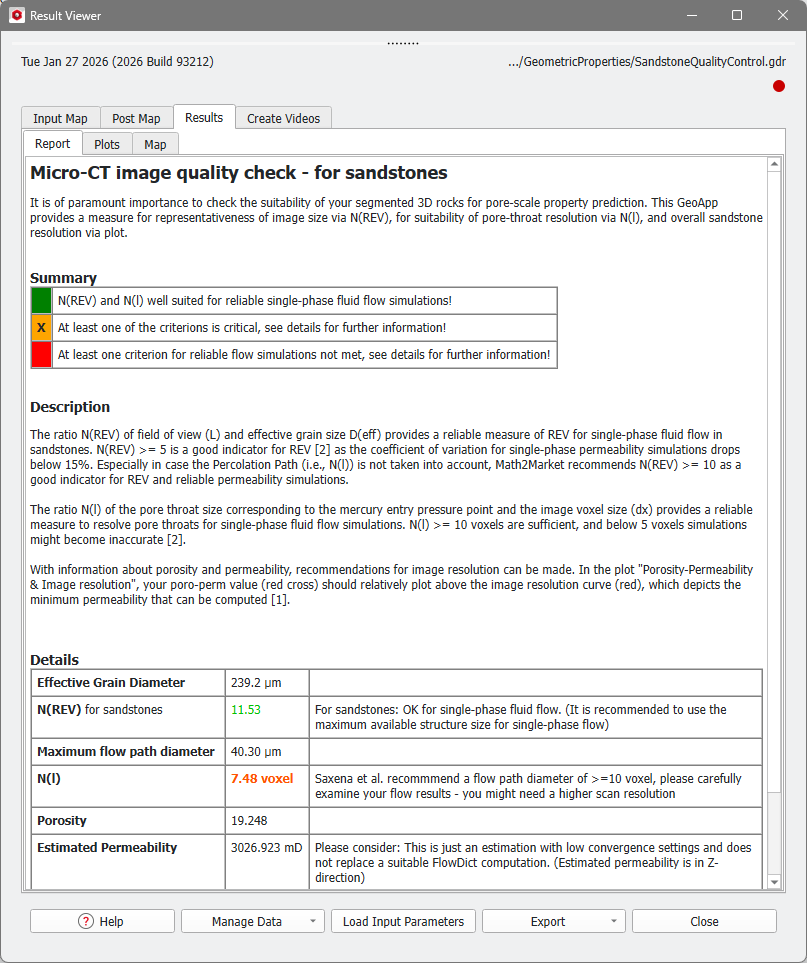
When the simulation finishes, the Result Viewer of the result file (*.gdr) opens automatically. The results for the rock sample shown below are presented here.
The Results - Report subtab of the Result Viewer shows the results of the quality control.
The resolution is displayed in orange in the table, but the plot under the Results - Plots tab shows, that in this case, the image resolution is fine, as explained in the Image Resolution section.