Simulate Aging
The Simulate Aging app simulates the aging process creating a mixed-wet rock structure as shown in Arnold et al. (2023).

|
Modules needed to run this GeoApp (depending on the selected options):
PoroDict, GrainGeo
|
Click Edit to open the Simulate Aging dialog.
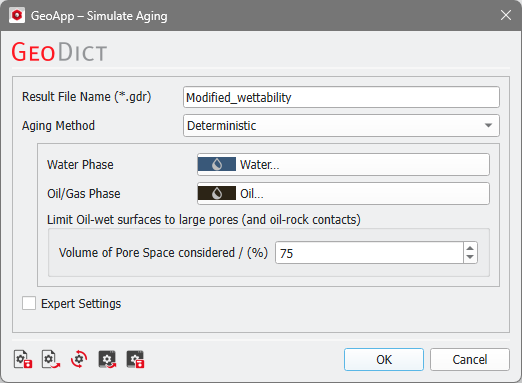
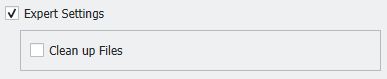
Enter a Result File Name and select one of the aging methods. At the bottom of the dialog you can check Expert Settings and select to Clean up files to delete all intermediate results from the result folder.
There are three different Aging Methods selectable: Deterministic, Stochastic, and Simple.
 Deterministic
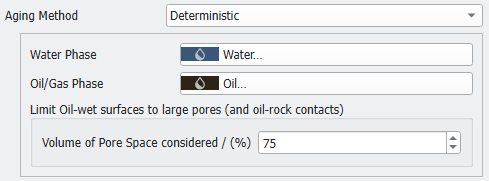
For a Deterministic aging method, the wettability is changed at surfaces in large pores and in contact with the invading oil/gas. Select materials for the Water Phase and the Oil/Gas Phase. The Volume of Pore Space considered defines the limit for the material reassignments to oil-rock surfaces in large pores. A geometric pore size distribution is applied to determine the pore space that allows consideration of oil-wet surfaces with adjusted contact angles. For example, a value of 75% means that the largest 75% of the pores are changed from water-wet to oil-wet. A higher percentage leads to more contact material changes and an increased saturation change during forced imbibition, while the saturation changes during spontaneous imbibition are decreased.
The aged material is visualized in red in the example below, where the shown 2D slice is the first slice in X-direction.
|
Stochastic
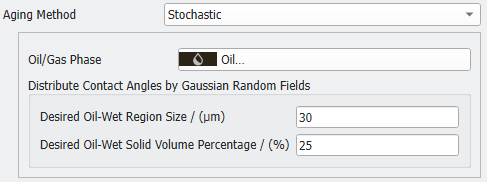
The Stochastic aging method distributes the wettability using Gaussian random fields in the Stochastic Field Thresholding command in GrainGeo. Select a material for the Oil/Gas Phase. It is not necessary to select a water phase for this method, because the result is generated based on a Gaussian random field and not the water phase. Define the Desired Oil-Wet Region Size in µm, representing the standard deviation for the applied Gaussian distribution. Additionally, enter the Desired Oil-Wet Solid Volume Percentage, which is needed as parameter for the Stochastic Field Thresholding.
|
Simple
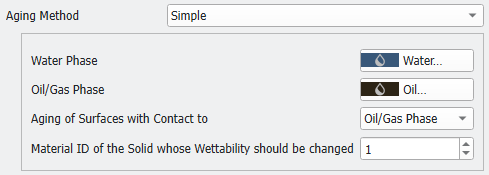
The Simple aging method reassigns all non-wetting phase contacts with the rock to become non-wetting. Select materials for the Water Phase and the Oil/Gas Phase. Choose for which contact phases the surfaces should be aged, Oil/Gas Phase or Water Phase. Enter the Material ID of the Solid whose Wettability should be changed.
|
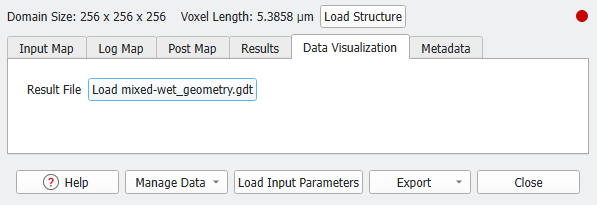
The resulting structure is shown in the visualization area after the computations are finished. It is saved as mixed-wet_geometry.gdt in the created result folder, which has the same name as the result file (*.gdr). Additionally, you can load it from the Data Visualization tab in the Result Viewer.