AI-Options
Set-up the material identification.
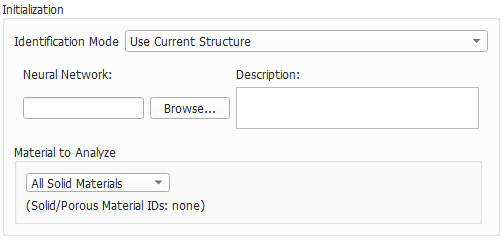
Initialization
 Identification Mode
Two Identification Mode choices are available: Use Current Structure and Load Neural Network Output.
The default Use Current Structure applies GeoDict-AI to the structure in memory.
Occasionally, the Load Neural Network Output may be very useful, if different thresholds or confidence values should be tested, without having to run the identification for each voxel with the neural network again. Another application would be, that the identification was not finished, but an intermediate *.npz file is saved. This file can be loaded and thresholded to find out, if the identification is already good. A visualization of the confidence fields and the threshold is shown here.
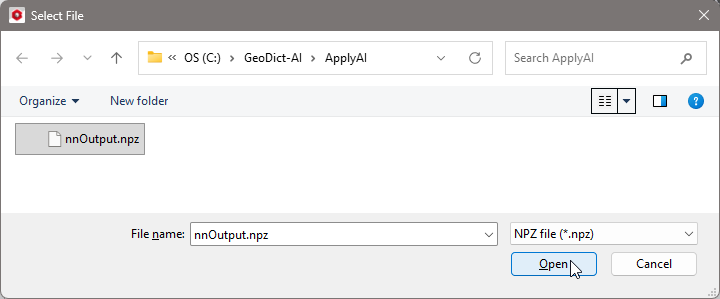
Browse to a GeoDict result folder of a previous run of GeoDict-AI Apply Neural Network and select a nnOutput.npz file from that folder. Accordingly, the Material to Analyze and the Neural Network to be used cannot be changed, and the loaded structure needs to be the same.
|
Neural Network and Description
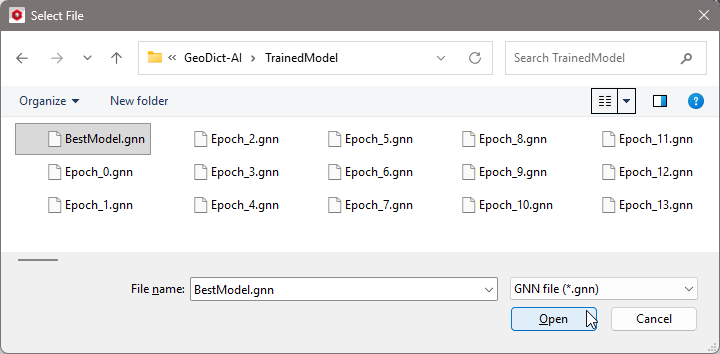
Browse for the neural network trained with Train Neural Network and most suitable for the structure under consideration. For this, under Neural Network click Browse.
Select a neural network *.gnn file, for example the BestModel.gnn from a prior training.
In the Description, the current constraints for the application of the neural network are listed, as entered in the Train Neural Network dialog, e.g., the diameter range of the fibers the neural network was trained for.
|
Material to Analyze
The Material to Analyze panel offers the choice of whether GeoDict-AI should be applied to all solids in the structure or only on a subset, defined either by choosing material IDs or materials.
If Chosen Material is selected, select the material to analyze from the pull-down menu on the right. All other materials will be considered as background by the neural network.
If Chosen Material IDs is selected, choose the material IDs to analyze from the pull-down menu on the right. All other material IDs will be considered as background by the neural network.
|
Transforming confidence field to structure
The neural network splits the material to analyze into different material classes. For each resulting class a confidence field is computed. These fields contain values between 0 and 1. A value of 1 means, the neural network is perfectly sure, that this voxel should be assigned to the corresponding class, while a value of 0 means the voxel definitely does not belong to the corresponding class.
Each voxel then is labeled according to the field with the highest value. For example, consider a structure where three materials should be identified and the field values for one voxel are as follows:
- class 0 (cellulose fiber): 0.7
- class 1 (elliptical fiber): 0.25
- class 2 (binder): 0.05
In this case, the voxel is labeled as class 0 (cellulose fiber).
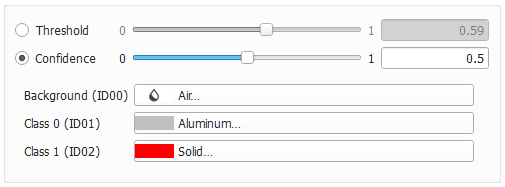
Load Neural Network Output. These parameters influence the labeling of voxels according to the probability values in the output fields (*.npz) from previous Apply Neural Network runs.
Use Threshold for two-channel outputs, only, for example to prevent over-segmentation.
Use a higher Confidence value if you want to find the voxels, where the network was uncertain.
Threshold
The Threshold allows proficient users to influence the decision to which material class a voxel belongs. The parameter is only available if the chosen network is trained to differentiate between exactly two material phases. For three or more material phases this parameter is grayed out.
If the identified features are over segmented, choosing a smaller threshold can lead to better results. For this, the confidence field (*.npz) can be loaded, without running the complete identification process again.
Find a visualization of the confidence field (*.npz) and threshold here.
For most applications, however, the default values can be kept because the default threshold of 0.5 usually produces good results for a well-trained network.

|
Important! This parameter only has an impact on two-channel results, i.e., distinguishing between only two material phases.
|
|
Confidence
Specify the minimum required confidence value for selecting a class for a voxel.
If a positive confidence value is specified and none of the fields has a higher probability value, the material is set to "undefined" in these uncertain locations, and material ID 255 is assigned. In the above example, consider a confidence value of 0.8. In this case, the voxel would be labeled "undefined" instead of class 0.
The values of the confidence fields of all classes sum up to 1. Thus, it is impossible that for any voxel all confidence values are smaller than 1/n, where n is the number of classes. This is why setting the confidence value below 1/n has no impact. Therefore, the default value is set to 0, meaning all voxels are labeled as one of the classes as described above and no uncertain areas will remain.
An example is shown here.
|
Material Selection
For all constituent materials in the output structure select a material by clicking on the material buttons.
The Material Selector gives access to selecting the desired material from the GeoDict Material Database. When none of the materials available in the database fits the preferred specifications, Manual should be chosen.
Alternatively, new materials can be defined in GeoDict’s material database (Click Edit Material Database…).
The number of different Classes is defined by the neural network training and updates automatically. The counting starts with 0 for material ID 01. The Background (ID00) is ignored by the neural network and therefore is not counted as a class.
|