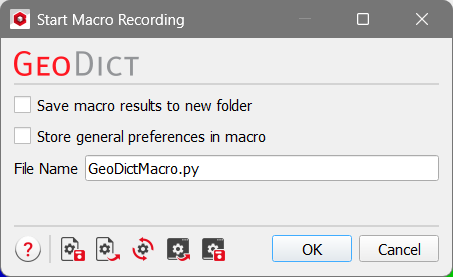
To run the macro from GeoLab, one of the options is to use geodict.m. When running it without any argument, information such as the GeoDict executable file path, version, etc. is shown.
When running it with geodict(filename), a python file can be used. The GeoDict command line options can also be considered by using geodict(filename, options). Possible options are those that can be used when running GeoDict in command line mode. For example, if the GeoDict GUI is desired, ‘--stayopen’ should be used for the options. Then GeoDict stays open after the python file is executed.
The other possibilities to run the macro from GeoLab are to use the function runMacro.m or runGeoPythonMacro.m. At least the filename of the GeoDict macro is necessary as input of the two functions. It is also possible to give a list of variable names and their desired values. With these two functions, only the variable inputs for macro files can be set, but not the general GeoDict command line options.
For example, to change the result file name, when a macro file is called from GeoLab, two steps are necessary:
- Define the result file name as variable in the GeoPy macro:
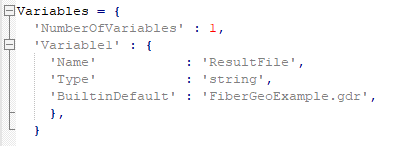
Set the variable in the function call for the ‘ResultFileName’:
- Now, define this filename, when calling the macro from GeoLab. This can be done in two different ways:

or

|